How to Find Admin Websites Using Facebook for Guest Posting
Introduction
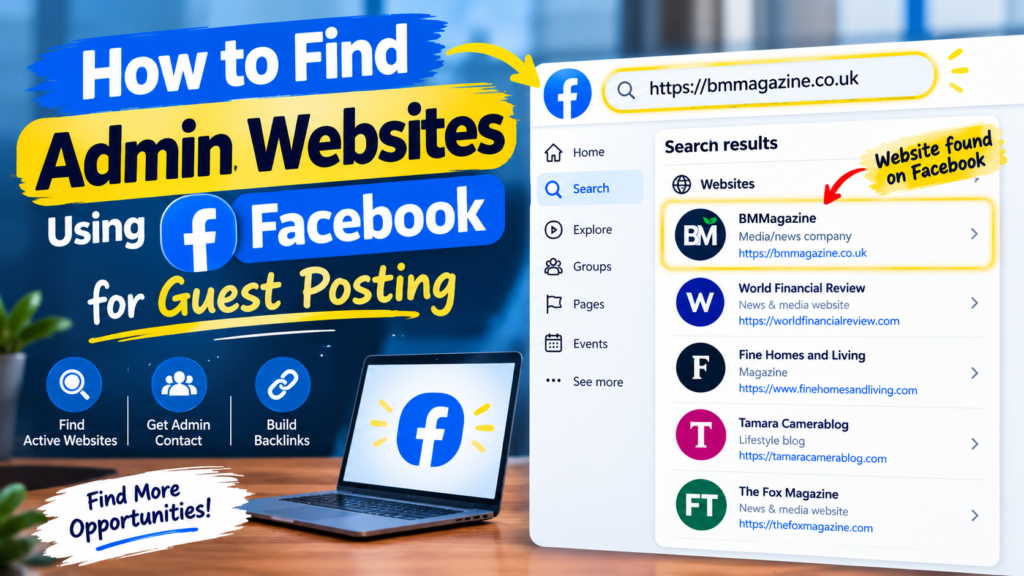
In today’s article, I will show you how you can use Facebook to find admin websites for guest posting and link building. This is a useful method because it can help you discover websites where you may be able to contact the admin directly and build a working relationship.
If you already have a website where the admin regularly publishes new posts, you can use that website to find other related websites on Facebook. Let’s look at the complete practical method step by step.
How to Find Admin Websites Using Facebook
Step 1: Find a Website That Publishes Regularly
First, you need a website where the admin is regularly publishing new articles or posts.
Choose a website that is active and has fresh content. This will give you a useful starting point for finding similar websites and potential website admins.
Step 2: Copy the Website Name or URL
Once you have found a suitable website, copy its website name or URL.
You will use this information to search for related results on Facebook.
Step 3: Open Facebook
Now open Facebook and go to the search bar.
Paste or type the website name or URL into the Facebook search bar, just as shown in the image.
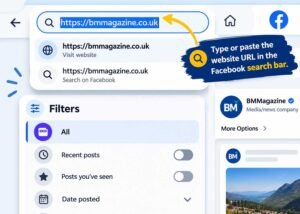
Facebook may show you different results related to that website.
Step 4: Check the Related Results
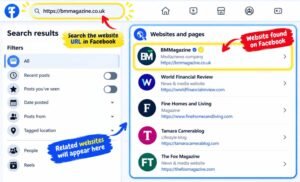
After searching, scroll through the results.
You may find many pages, profiles, groups, or other websites related to your search. These results can help you discover additional websites that may be useful for guest posting and link building.
As shown in the example, you can check the related websites one by one.
Step 5: Open the Websites One by One
Now open the relevant websites individually.
Check whether they are active and whether the admin is regularly publishing content. Focus on websites that are related to your target niche and appear to be actively maintained.
Step 6: Contact the Admin Directly
After finding a suitable website, look for a way to contact the admin.
You can check the website for a Contact Us page, email address, social media profile, or other available contact method.
The main purpose of this method is to connect with the admin directly instead of relying only on third-party platforms.
Step 7: Build a Direct Relationship
Once you find the admin, contact them professionally and explain your guest posting or link-building requirements.
If the admin is interested, you can discuss the available publishing opportunities, pricing, content requirements, and other details directly.
Why Should You Try This Method?
You should definitely try this method if you are looking for new guest posting opportunities because it can help you discover websites that may not appear on the usual guest posting lists.
It can also help you collect better data and communicate directly with website admins. If you consistently research and contact relevant websites, you can build a useful database of potential publishing opportunities.
Frequently Asked Questions
1. Can Facebook help me find websites for guest posting?
Yes. You can search for a website name or URL on Facebook and explore related pages, profiles, groups, and other results to discover potential websites and contacts.
2. How can I contact a website admin?
You can visit the website and check its Contact Us page, email address, social media profiles, or other available contact options. This allows you to approach the admin directly.
3. Is this method useful for link building?
Yes. This method can be useful for discovering active websites and building direct relationships with website admins for guest posting and link-building opportunities.