How should you set your YouTube channel handle?
Introduction
Whenever you create a new YouTube channel, what should you set up first?
The first thing you should do is set your channel name and handle properly.
But do you know why your YouTube handle is important?
If you create a channel and don’t properly set your handle, even if your channel starts ranking and getting visibility, you may not get the full branding benefit you could get from a proper handle.
That’s why setting your handle according to your own name or your channel name is very important.
Question
What should you use as your YouTube handle?
If you are creating a personal channel, you can use your name as your handle.
If you are creating a business, brand, or educational channel, your handle should be related to your channel or brand name.
For example, if your channel name is Pak SEO Training, your handle should ideally be something like:
@pakseotraining
Now let’s see how to set it up practically.
Practical Method
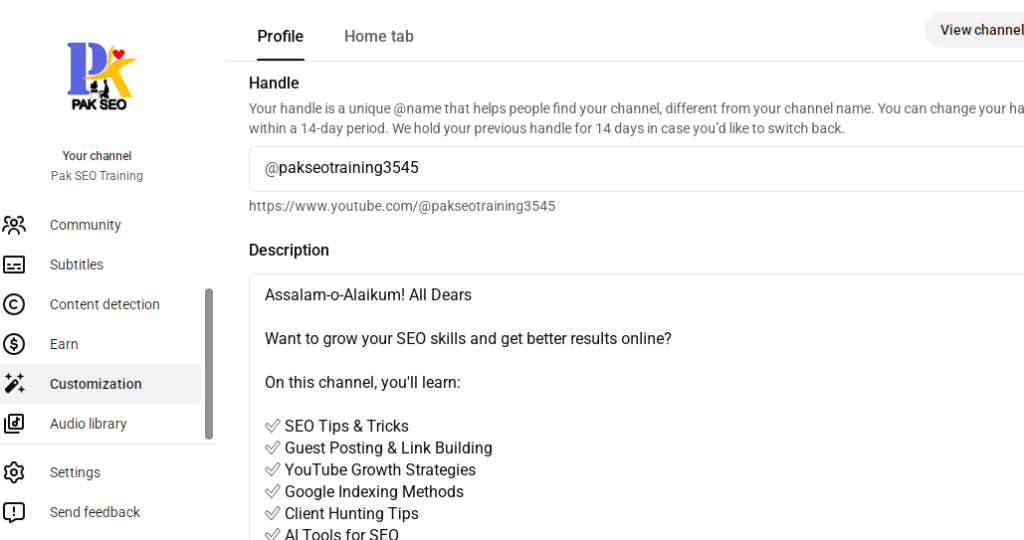
First, go to your YouTube Studio.
On the left-hand side, you will see the Customization option.
Click on Customization.
After clicking Customization, you will see the Profile section.
Here, the first thing you need to set is your Channel Name.
First: Channel Name
Enter your personal name, brand name, or the name you want to use for your YouTube channel.
After that, you will see the second option: Handle.
Second: Handle
This is where you need to enter your handle.
Try to make your handle related to your name or channel name.
Channel Name: Pak SEO Training
Handle: @pakseotraining
Keep your handle simple, professional, and easy to remember.
After setting your handle, you will see the Description section.
Third: Description
Here, you need to write a description related to your channel.
Your description should clearly explain what your channel is about and what type of content viewers can expect.
For example, if your channel is about SEO, you can mention topics such as: