6 Cold Email Mistakes That Lose Link Building Clients
Backlink Pitch Email Writer
Free tool. Add the client URL, upload a Semrush or Ahrefs screenshot, and get a unique, lead-focused cold email. Every email is different.
The biggest cold email mistakes that lose link building clients are: sending a full site list in the first email, writing long emails, having no company website, sending unread ChatGPT emails, not spending 5 minutes on the client’s website, and having no social media presence. Fix these six and your first email will look like it came from a real expert, not a spammer.
Most SEO sellers do not lose clients because their service is bad. They lose them in the first email. These cold email mistakes happen in seconds, but they decide whether a brand replies to you or deletes your message forever.
After 21 years in SEO and more than 1,000 guest posting projects at PB Outreach, I have seen the same pattern again and again. The sellers who win clients are not the ones with the biggest site list. They are the ones whose first email feels personal, short and trustworthy.
In this guide, I will walk you through the six most common cold email mistakes, show you a real example of each one, and end with a complete first email you can copy and adjust today.
Why Your First Email Decides the Deal
A cold email is a message you send to someone who does not know you yet. In link building and guest posting, it is usually the very first contact between you and a potential client.
The numbers show how hard this first contact is. When Backlinko and Pitchbox analyzed 12 million outreach emails, they found that only 8.5% received any reply. That means more than 91 out of every 100 emails are ignored.
The same study found that emails with personalized body content had a 32.7% better response rate than generic ones. So the difference between being ignored and getting a reply is not luck. It is the quality of your first email.
The client decides if you are worth their time before they finish reading your second line.
Mistake 1: Sending Your Site List in the First Email
This is the most common mistake in guest posting outreach. A seller finds a brand, then sends a huge spreadsheet or 50 site URLs with prices in the very first email.
Why Does a Site List in the First Email Hurt You?
- It looks like mass spam. The client knows you sent the same list to 500 other brands.
- It skips the trust step. The client does not know you yet, so they do not care about your sites.
- Attachments and many links hurt delivery. Emails full of links or attached files are more likely to land in spam folders.
- It removes the reason to reply. If everything is already in the email, the client has no question to ask you.
- Your list can be shared. A client can forward your list to another vendor and buy the same sites cheaper.
Example of This Mistake
“Hi, we have 300+ guest post sites. Please check the attached list with DA, traffic and prices. Let me know which ones you want.”
How Should You Fix It?
Mention that you have relevant sites, and offer 3 to 5 sites that match their niche only after they reply. Curiosity gets replies. Full lists get deleted.
Quick win this week: Remove all attachments and site lists from your first email template. Replace them with one line: “I have a few sites in your niche. Should I send 3 that fit your audience?”
Mistake 2: Writing a Long Email
Many sellers think a long email proves they are serious. In reality, a long cold email tells the client, “This will take time to read,” and busy people do not have that time.
What Is the Ideal Length for a Cold Email?
Boomerang’s large email study found that emails between 50 and 125 words got the best response rates, all above 50%. As emails got longer, response rates slowly dropped.
For a cold outreach email, aim for:
- 75 to 125 words in the body
- 3 to 4 short paragraphs of 1 to 2 lines each
- One question at the end, not five
Example of This Mistake
A 450-word email that starts with company history, lists 12 services, explains what a backlink is, adds three paragraphs about pricing and ends with “Please let me know your thoughts on all of the above.”
How Should You Fix It?
Use this simple structure: one line about them, one line about a problem or opportunity on their site, one line about how you help, and one easy question. Everything else can go in the second email.
If your email needs scrolling on a phone, it is too long.
Mistake 3: Having No Company Website
When a client gets your email, the first thing many of them do is check who you are. If you are writing from a Gmail address with no website behind you, trust drops instantly.
What Happens When You Have No Website?
- You look like a freelancer who might disappear. Brands worry about paying someone with no business presence.
- Your email looks less professional. A free email address is easier to filter as spam than a domain email like name@yourcompany.com.
- You have no proof. There is nowhere to show case studies, reviews, past results or team details.
- You lose the price battle. Without a brand, the client compares you only on price.
How Should You Fix It?
Build a simple company website with at least these pages: Home, Services, About, Case Studies or Results, and Contact. Then send all outreach from a domain email. You can see how we present our services at PB Outreach.
Key insight: Your website does not sell for you in the first email. It confirms you are real when the client checks you after reading it.
Mistake 4: Sending a ChatGPT Email Without Reading It
AI tools like ChatGPT can help you write faster. The problem starts when sellers copy the output and send it without reading a single line.
Why Do Unread AI Emails Fail?
- They sound the same as everyone else. Clients receive dozens of emails starting with “I hope this email finds you well” and “I came across your impressive website.”
- They contain errors. Wrong company names, wrong niches, made-up facts and leftover placeholders like [Client Name] destroy your credibility.
- They have no real personalization. AI cannot see what you saw on the client’s website unless you tell it.
- They feel cold. Overly formal, robotic wording tells the client nobody actually thought about them.
Example of This Mistake
“Dear [Client Name], I hope this email finds you well. I came across your impressive website and was truly amazed by your remarkable content in the [industry] industry.”
Yes, emails like this are actually sent every day. One unfilled placeholder is enough for a client to block you.
How Should You Fix It?
Use AI for a first draft only. Then read every line, remove generic phrases, add one specific detail about their site, and check names, links and spelling. This takes 2 minutes and can double your replies.
Mistake 5: Not Spending 5 Minutes on the Client’s Website
This is the mistake that separates average sellers from experts. If you do not look at the client’s website, you cannot say anything useful about it. And if you say nothing useful, the client has no reason to reply.
What Should You Check in 5 Minutes?
Here is a simple 5-minute website check before every email:
- Minute 1: Open the homepage. What do they sell, and who is their audience?
- Minute 2: Check the blog. When was the last post published? Is the content thin or strong?
- Minute 3: Search “site:theirdomain.com” in Google to see roughly how many pages are indexed.
- Minute 4: Check page speed on mobile using Google PageSpeed Insights.
- Minute 5: Note one problem and one strength you can mention.
Why Should You Mention Both Problems and Good Points?
Only mentioning problems can feel like an attack. Only mentioning praise feels fake. A balanced comment shows you are honest and that you actually looked.
Problems you can mention:
- The blog has not been updated in 6 months
- Product pages have very little text
- The site is slow on mobile
- Few pages are indexed compared to the number of products
- Competitors rank above them for their main keyword
Good points you can mention:
- Clean design and clear product photos
- A strong, helpful guide on a specific topic
- Good customer reviews on their pages
- A clear brand story on the About page
Example of Doing It Right
“Your guide on choosing hiking boots is one of the clearest I have read. I did notice your blog has not had a new post since March, and a competitor now ranks above you for ‘waterproof hiking boots.'”
That one line shows effort, expertise and honesty. It also gives the client a real reason to reply.
Five minutes of research beats 500 generic emails.
Mistake 6: Being Invisible on Social Media
Many clients will search your name on LinkedIn or Google before replying. If they find nothing, or a profile untouched since 2019, they start doubting you.
Why Does Social Media Activity Build Trust?
- It proves you are a real person. A face, a name and real posts make you human.
- It shows your expertise. Regular posts about SEO and link building show you know your field.
- It makes the client feel safe. When a client sees you are active everywhere, they believe you are an established professional.
- It warms up cold emails. If a client has seen your LinkedIn posts before, your email is no longer fully cold.
The Backlinko and Pitchbox study also looked at social media links in email signatures, which shows that even outreach researchers consider your online presence part of the pitch.
How Should You Fix It?
- Complete your LinkedIn profile with a real photo, a clear headline and your company link
- Post at least 2 to 3 times a week about SEO tips, results or client wins
- Keep an active YouTube channel or Facebook page if you have one
- Add your LinkedIn and website links to your email signature
Key insight: Your social profiles are your second website. Clients check them before they trust you with their money.
The Perfect First Email (Full Template)
Now let us put everything together. This email avoids all six mistakes: no site list, under 125 words in the body, a real company behind it, written by a human, based on a 5-minute site check, and backed by an active social presence in the signature.
Subject: Quick idea for [Brand Name]’s blog
Hi [First Name],
I spent a few minutes on [Brand Name] today. Your guide on [specific article topic] is genuinely useful and better written than most in your niche.
One thing stood out: your blog has not been updated since [month], and [competitor] now ranks above you for “[main keyword].” That gap is fixable.
We help [niche] brands earn real backlinks from relevant, high-traffic sites. Our team has completed 1,000+ guest posting projects for clients.
I have 3 sites in your niche that would fit your audience well. Would you like me to send them over?
Best regards,
Muhammad Amjad Butt
CEO & Founder, PB Outreach
21+ Years in SEO | 1,000+ Guest Posting Projects
Website: pboutreach.com
Email: [your domain email]
WhatsApp: [your number]
LinkedIn: [your LinkedIn profile URL]
YouTube: Pak SEO Training
Why Does This Email Work?
- Short subject line with the brand name, which feels personal
- Real praise for one specific article, not fake compliments
- One honest problem with a competitor name, which creates urgency
- Proof in one line with a clear number
- One easy question that only needs a “yes”
- A full signature with website and social links that build trust
What Should Your Follow-Up Look Like?
Do not stop after one email. According to the same Backlinko outreach data, sending follow-ups noticeably improves response rates. Send a short follow-up after 3 to 4 days, and a second one after 7 days. Keep each under 50 words and add one new piece of value, such as a keyword they are missing.
FAQ
Should I ever send a site list in a cold email?
Only after the client replies and shows interest. Then send 3 to 5 sites that match their niche, not your full inventory.
How long should a cold outreach email be?
Aim for 75 to 125 words in the body. Research from Boomerang shows that emails in the 50 to 125 word range get the highest response rates.
Is it okay to use ChatGPT for outreach emails?
Yes, for drafts. But always read, edit and personalize the email before sending. Never send AI output without checking names, facts and placeholders.
Do I really need a company website to sell guest posts?
Yes. Clients check who you are before paying. A professional website and domain email make you look trustworthy and help your emails avoid spam folders.
How many follow-ups should I send?
Two follow-ups are usually enough: one after 3 to 4 days and one after about 7 days. Keep them short and polite.
Start Fixing Your Outreach Now
Avoiding these cold email mistakes will not just improve your reply rate. It will change how clients see you, from “another spammer” to “an expert worth talking to.” Here is your action list:
- Remove all site lists and attachments from your first email template.
- Cut your email body to 75 to 125 words with one clear question.
- Build or update your company website and switch to a domain email.
- Read and edit every AI-written email before you send it.
- Spend 5 minutes on each client’s website and note one problem and one strength.
- Update your LinkedIn profile and post 2 to 3 times a week.
- Add your website and social links to your email signature.
- Send two short follow-ups to everyone who does not reply.
Fix one mistake today, and fix the rest this week. Start this week.

Muhammad Amjad Butt
SEO Trainer, CEO & Founder of PB Outreach
Muhammad Amjad Butt is an SEO specialist with 21+ years of experience, the CEO and founder of PB Outreach, and the trainer behind Pak SEO Training. He has trained 500+ students and completed 1,000+ guest posting projects for clients.
📚 Related Posts
How to Find Guest Post Buyers Using Google Ads Transparency
Find guest post buyers free with Google Ads Transparency Center. Search a niche, switch to the US region, read ad signals and…
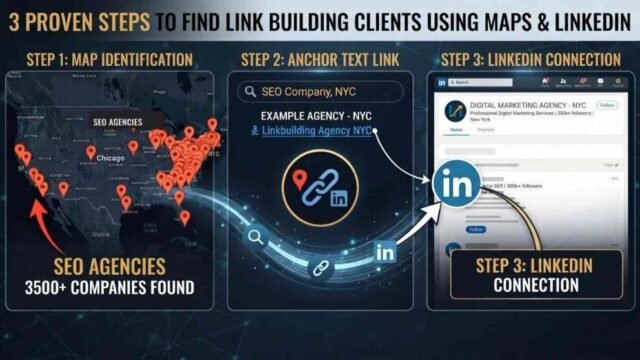
How to Find Link Building Clients in the US (3 Methods)
Learn how to find link building clients in the USA using anchor text from paid guest posts, with Google, Google Maps and…
VIP SEO Guest Manager: Role, Cost & How to Choose
What does a VIP SEO guest manager do? Learn the role, pricing, red flags, Google’s link rules and a 7-step checklist to…