How to Write the Perfect Cold Email for Client Hunting & Get 100 Orders a Month
Why Right Method is Necessary for Clients Searching
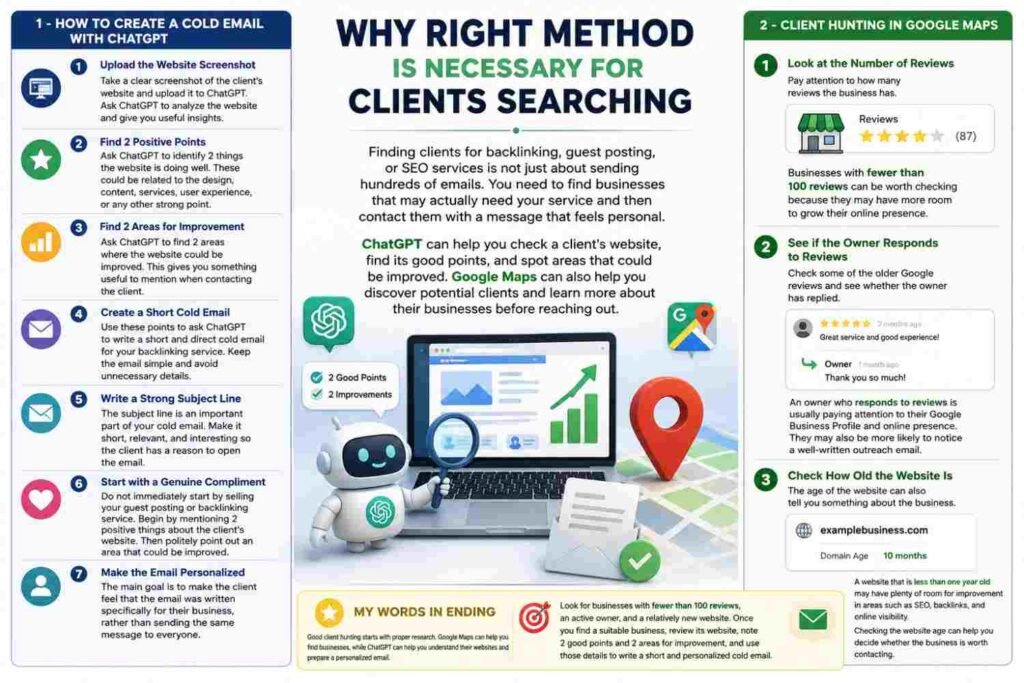
Finding clients for backlinking, guest posting, or SEO services is not just about sending hundreds of emails. You need to find businesses that may actually need your service and then contact them with a message that feels personal.
ChatGPT can help you check a client’s website, find its good points, and spot areas that could be improved. Google Maps can also help you discover potential clients and learn more about their businesses before reaching out.

How to Create a Cold Email with ChatGPT
Before contacting a potential client, take some time to understand their website. ChatGPT can make this process much easier.
- Upload the Website Screenshot
Take a clear screenshot of the client’s website and upload it to ChatGPT. Ask ChatGPT to analyze the website and give you useful insights. - Find 2 Positive Points
Ask ChatGPT to identify 2 things the website is doing well. These could be related to the design, content, services, user experience, or any other strong point. - Find 2 Areas for Improvement
Ask ChatGPT to find 2 areas where the website could be improved. This gives you something useful to mention when contacting the client. - Create a Short Cold Email
Use these points to ask ChatGPT to write a short and direct cold email for your backlinking service. Keep the email simple and avoid unnecessary details because most clients do not have time to read lengthy emails. - Write a Strong Subject Line
The subject line is an important part of your cold email. Make it short, relevant, and interesting so the client has a reason to open the email. - Start with a Genuine Compliment
Do not immediately start by selling your guest posting or backlinking service. Begin by mentioning 2 positive things about the client’s website. Then politely point out an area that could be improved. - Make the Email Personalized
The main goal is to make the client feel that the email was written specifically for their business, rather than sending the same message to everyone.
2 – Client Hunting in Google Maps
Google Maps can help you find local businesses, but there is more to client hunting than simply collecting business names and contact details.
1. Look at the Number of Reviews
Pay attention to how many reviews the business has.
Businesses with **fewer than 100 reviews** can be worth checking because they may have more room to grow their online presence.
2. See if the Owner Responds to Reviews
Check some of the older Google reviews and see whether the owner has replied.
An owner who responds to reviews is usually paying attention to their Google Business Profile and online presence. They may also be more likely to notice a well-written outreach email.
3. Check How Old the Website Is
The age of the website can also tell you something about the business.
A website that is **less than one year old** may have plenty of room for improvement in areas such as SEO, backlinks, and online visibility.
Checking the website age can help you decide whether the business is worth contacting.
My Words in Ending
Good client hunting starts with **proper research**. Google Maps can help you find businesses, while ChatGPT can help you understand their websites and prepare a personalized email.
Look for businesses with **fewer than 100 reviews, an active owner, and a relatively new website**. Once you find a suitable business, review its website, note **2 good points and 2 areas for improvement**, and use those details to write a short and personalized cold email.
This way, you are not sending the same message to everyone. You are contacting businesses with a message based on their actual website and online presence.