How to Check Your Qualified Subscribers & Watch Hours on YouTube?
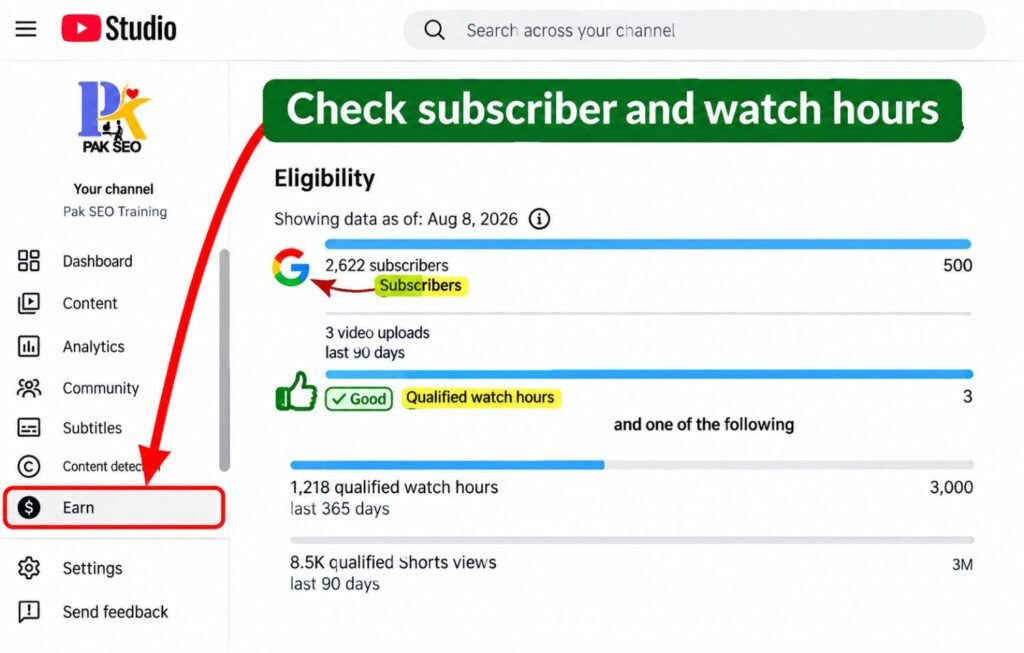
Are you trying to check your Qualified Subscribers and Watch Hours on YouTube, but don’t know where to find them? Read this guide.
First, go to studio.youtube.com. Then click on Channel Dashboard and select the Earn button.
You will see the Eligibility section. Under Subscribers, you will find Qualified Watch Hours, where you can check how many qualified watch hours your channel has completed.