Do AI-Written Cold Emails Go to Spam? What Really Happens
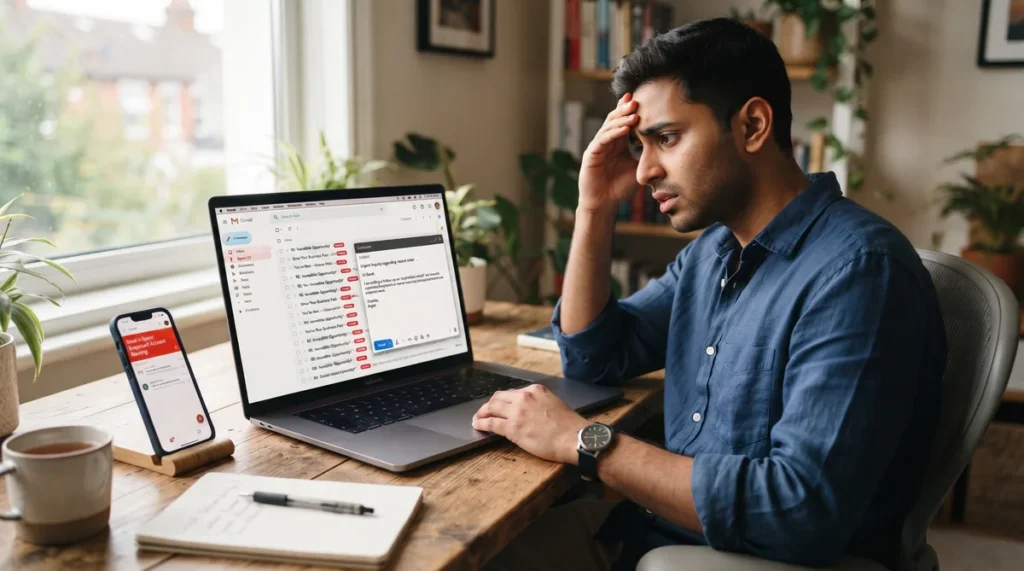
AI-written cold emails usually don’t go to spam because AI wrote them. They go to spam because of how they are sent. When you copy one ChatGPT email and send it to 40 clients in 10 minutes, Gmail sees one email every 15 seconds with almost the same text. That looks like a bot, not a person. Write each email yourself, slow down, keep the first email short with no links or sales pitch, and your emails are far more likely to land in the inbox.
The Main Points
- Spam filters judge sending behavior and content patterns, not just who wrote the words.
- 40 copy-paste emails in 10 minutes means one email every 15 seconds, which is a classic bulk-sending pattern.
- Identical text sent to many people is one of the easiest spam signals to detect.
- Writing each email yourself makes every message unique and naturally slows your sending speed.
- Use ChatGPT for ideas, not for copy-paste. Take the intent, then write in your own words.
- Your first email should not mention your websites, backlinks or prices. Start a conversation first.
The 10-Minute Mistake Almost Everyone Makes
Here is a story we hear in almost every training class.
Ali sells SEO services. One morning he opens ChatGPT and types, “Write a cold email for website owners offering SEO help.” In 20 seconds he has a polished email. He copies it, opens Gmail, pastes it, changes the name, and hits send. Then again. And again. In 10 minutes, 40 emails are gone.
He feels productive. He didn’t even add his website link, so he thinks, “There is nothing spammy here.”
Two days later: zero replies. When he asks a friend to check, his email is sitting in the friend’s spam folder.
Ali’s problem wasn’t AI. It was the way he sent the emails.
Why Do AI Cold Emails Go to Spam Even Without Links?
Many people believe spam filters only look for links, words like “free” or “buy now,” or attachments. That was mostly true years ago. Today, Gmail and other providers look at the full picture: who is sending, how they are sending, and what they are sending.
Reason 1: Your Sending Speed Looks Like a Machine
Let’s do the simple math of Ali’s morning:
| What Happened | Number |
|---|---|
| Emails sent | 40 |
| Total time | 10 minutes (600 seconds) |
| Time per email | About 15 seconds |
| Time a real person needs to write a thoughtful email | 3 to 5 minutes |
No human writes a new, personal email in 15 seconds. When a normal personal account suddenly sends dozens of emails at a steady, fast rhythm, the behavior matches automated or bulk sending. Gmail doesn’t need to read your mind. The pattern alone is suspicious.
What a human sending pattern looks like
- Emails go out at uneven times, not every 15 seconds
- Some emails are short, some are longer
- The sender also replies to conversations, not just sends new emails
- The daily volume grows slowly over weeks
Reason 2: The Same Text Goes to Everyone
Changing only the name (“Hi John” to “Hi Sarah”) does not make an email unique. The other 95% of the text is identical. When 40 nearly identical messages leave one account in minutes, it is one of the clearest bulk-email signals there is.
On top of that, ChatGPT emails often share the same style: the same openings (“I hope this email finds you well”), the same structure and the same polished but generic phrases. Many other senders are using similar AI templates, so your email can look like thousands of others that people have already marked as spam.
Reason 3: Recipients Don’t Engage
Inbox providers learn from how people react. If recipients delete your email without opening it, ignore it, or click “Report spam,” your future emails are more likely to go to spam for everyone. Google’s email sender guidelines ask senders to keep their reported spam rate very low, which means only send emails people actually want.
A generic AI email gets low engagement because the reader can tell it wasn’t written for them.
Reason 4: Your Account and Domain Aren’t Ready
Even a perfect email can land in spam if:
- The Gmail account or domain is new and suddenly starts sending many emails
- You use your own domain without SPF, DKIM and DMARC records (the settings that prove you are allowed to send from that domain)
- Your domain was used for spam in the past
Is AI the Real Problem? Robot Pattern vs Human Pattern
AI isn’t the enemy. The problem is using AI as a copy-paste machine. Compare the two approaches:
| Robot Pattern (Goes to Spam) | Human Pattern (Reaches Inbox) |
|---|---|
| One AI email copied 40 times | 40 emails written one by one |
| Sent in 10 minutes | Sent over a few hours |
| Same subject line for everyone | Different subject lines |
| Generic praise, such as “I love your website” | A specific detail about their website |
| Sales pitch in the first email | A question or useful observation first |
| Links, prices and services listed | No links in the first email |
The Fix: Write It Yourself, With AI as Your Helper
The solution is simple, but it takes discipline: write every email with your own hands and your own mind.
Step 1: Use ChatGPT for the Idea, Not the Final Text
Ask ChatGPT for ideas, angles or a rough draft. Read it, understand the intent (what the email is trying to say), then close it and write your email in your own words. Never paste AI text straight into Gmail.
Example
ChatGPT gives you: “I hope this message finds you well. I came across your website and was impressed by your content. I’d love to discuss how we can enhance your online presence.”
The intent: I saw your website, and I can help it get more visibility.
You write: “Hi Sarah, I was searching ‘bakery in Austin’ today and noticed your site shows up on page 3, below two bakeries with fewer reviews than you.”
The second version is shorter, specific and clearly written by a real person.
Step 2: Slow Down Your Sending
When you type each email yourself, you naturally spend 3 to 5 minutes per message. Those 40 emails now take a few hours instead of 10 minutes. That slower, uneven rhythm looks like a real person working, because it is.
A simple safe routine
- New account: start with 10 to 15 emails a day
- Increase slowly over 2 to 4 weeks
- Spread emails through the day, not in one burst
- Reply to every response quickly. Real conversations improve your sender reputation.
Step 3: Make Every Email Truly Unique
Before writing, spend one minute on the client’s website or Google results. Add one real detail that only applies to them:
- Where their website currently ranks for a main keyword
- A slow page or broken link you noticed
- A competitor ranking above them
- A recent blog post or product they launched
You can quickly check a client’s traffic with our free website traffic checker before writing.
What Should Your First Email Say?
This is where most people lose the client. The first email has one job: start a conversation. It is not the moment to sell.
What to Leave Out of the First Email
- Your websites or portfolio links
- Backlinks, guest posts or packages
- Prices
- Long lists of services
- Attachments
What to Put In
- Their name and business
- Where their website stands on Google for an important keyword
- What that means for them: fewer visitors and fewer leads
- A simple question asking whether they want the solution
Sample First Email (Write Your Own Version)
Subject: Your site on page 3 for “plumber in Dallas”
Hi Mike,
I searched “plumber in Dallas” this morning, and your website is on page 3. Most people never scroll past page 1, so you are probably missing a lot of calls from local customers.
I noticed two simple reasons this might be happening. If you have 10 minutes this week, I’d be happy to share the solution.
Thanks,
Amjad
Notice what’s missing: no link, no price, no “we offer SEO services.” Just a real problem and a real offer to help. If Mike replies, you now have a conversation, and that reply also tells Gmail your emails are wanted.
Want help with ideas? Our free outreach email writer can give you a starting point. Remember: take the idea, then write it yourself.
What to Send in the Second Email
Only after they reply should you share your solution, your experience and, if relevant, your services. If you offer SEO or backlinks, this is the moment to explain your plan or point them to options like our link building services.
Quick Technical Checklist for Better Inbox Delivery
- Personal Gmail: keep daily volume low and grow slowly.
- Your own domain email: set up SPF, DKIM and DMARC records with your email provider.
- Warm up new accounts: send normal emails and have real conversations for 1 to 2 weeks before outreach.
- Plain text wins: avoid heavy design, many images and tracking links in cold emails.
- Remove bounces: invalid email addresses hurt your reputation. Check emails before sending.
- Give a way out: a simple line like “If this isn’t relevant, just let me know” reduces spam reports.
Where Do You Find the Right Clients to Email?
Even a perfect email fails if it goes to the wrong person. Target businesses that actually need your help and can pay for it. For example, companies already spending on ads are more likely to invest in SEO and guest posts. We explain one smart method in how to find guest post buyers using Google Ads Transparency. For more client-finding ideas, browse our client hunting guides.
And when you mention a client’s ranking in your first email, be sure you can explain why it’s low. Our guide on what to do first when a site is invisible on Google and AI helps you spot the common reasons quickly.
Frequently Asked Questions
Can Gmail detect that an email was written by ChatGPT?
Spam filters don’t simply flag an email because AI wrote it. They look at patterns such as identical text, generic phrases, sending speed, sender reputation and how recipients react. Copy-paste AI emails trigger these patterns easily.
How many cold emails can I send per day from Gmail?
Start with 10 to 15 a day on a new account and grow slowly over a few weeks. Quality and replies matter far more than volume. Sending fewer, personal emails usually brings more clients than sending many generic ones.
Why do my emails go to spam even without links?
Because links are only one signal. Fast sending, identical content, a new account, missing domain authentication and low engagement can all send emails to spam even with no links at all.
Is it okay to use AI for cold emails?
Yes, as a helper. Use it for ideas, subject line options or to check grammar. Then write the final email yourself so it is unique, personal and sounds like you.
Should I mention my services in the first email?
No. Use the first email to point out a real problem and ask if they’d like the solution. Share services, links and prices only after they reply.
Final Thought: Slow Emails Win Clients
Sending 40 emails in 10 minutes feels productive, but if they all land in spam, you have really sent zero. Five thoughtful, hand-written emails that reach the inbox and start real conversations are worth more than a hundred copy-paste messages. Let AI give you ideas, let your own mind write the words, and let your first email ask a question instead of making a sale.
Have a question about your own outreach or SEO? Ask an SEO question and get a quick answer.

Muhammad Amjad Butt
SEO Trainer, CEO & Founder of PB Outreach
Muhammad Amjad Butt is an SEO specialist from Faisalabad, Pakistan, practicing SEO since 2006. He is the CEO and founder of PB Outreach and the trainer behind Pak SEO Training. He has trained 500+ students and completed 1,000+ guest posting projects for clients.
📚 Related Posts

Meta Muse (Musa) AI in Pakistan: Myths vs. Reality
Exposing the viral Musa AI myths in Pakistan. Learn what Meta Muse actually is, why VPN tricks fail, and how regional store…

How to Build an llms.txt File in 2026: A Step-by-Step Guide to Getting Your Website Cited by ChatGPT, Gemini & Perplexity
Learn how to build an llms.txt file in 2026 to get cited by ChatGPT, Gemini, and Perplexity. Includes a copy-paste template, WordPress…
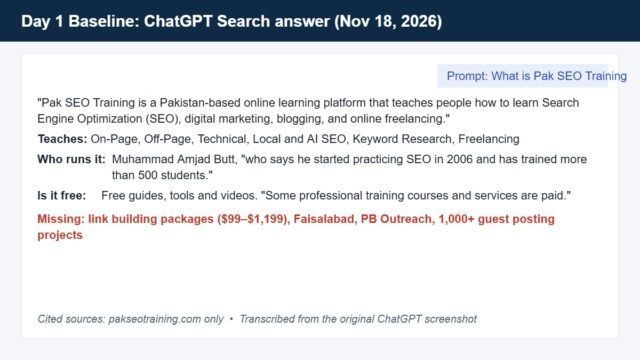
How I’m Fixing Wrong Brand Info in ChatGPT in 14 Days (Live Experiment Log)
Live 14-day experiment: I'm fixing wrong and missing brand info about Pak SEO Training in ChatGPT Search. Day 1 audit, schema code,…