How to Build an llms.txt File in 2026: A Step-by-Step Guide to Getting Your Website Cited by ChatGPT, Gemini & Perplexity
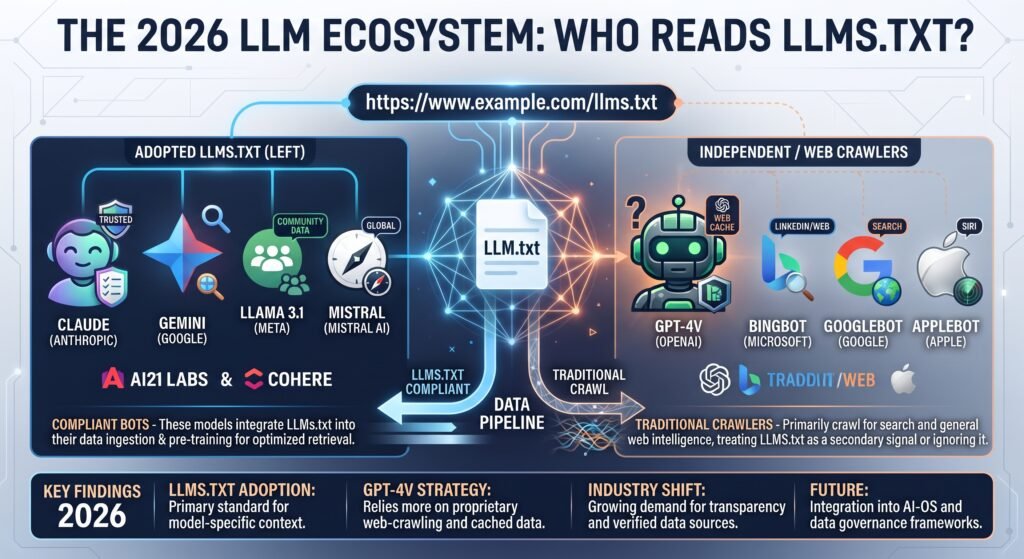
llms.txt file in your root directory (://example.com) essential for providing clean Markdown content.This guide explains how llms.txt functions, which AI systems utilize it, and how to implement one on WordPress quickly.What Is llms.txt (And How Is It Different from robots.txt and sitemap.xml)?
Proposed by Jeremy Howard of Answer.AI, llms.txt is a plain-text Markdown standard designed specifically for Large Language Models (LLMs). Instead of forcing an AI agent to parse thousands of lines of theme code, it hands the bot a clean summary of your brand and direct links to your most authoritative guides.
Think of the three root files on your server like this:
| File Name | Target Audience | Primary Job | Format |
|---|---|---|---|
robots.txt |
All search & AI crawlers | Tells bots which folders they can or cannot access | Plain Text Rules |
sitemap.xml |
Google & Bing crawlers | Lists every indexable URL on your website | XML |
llms.txt |
AI agents & answer engines | Highlights your top, curated pages with clean context | Markdown (.txt) |
Unlike an XML sitemap—which dumps every tag archive and old blog post onto a bot—an llms.txt file acts like a curated executive summary of your website.
Which AI Bots Actually Read llms.txt in 2026?
Before you spend time setting up this file, let’s be honest about how AI crawlers handle it. While llms.txt has become a popular community standard across tech and SEO blogs, major AI companies have not officially added llms.txt rules to their public crawler documentation yet.
However, AI agents, RAG (Retrieval-Augmented Generation) pipelines, and live browsing tools increasingly check /llms.txt when fetching real-time brand information. To manage this properly, you need to understand the difference between AI search bots (which bring you traffic and citations) and AI training scrapers (which harvest data for future models):
| Bot User-Agent | Company | Primary Purpose | Reads llms.txt? (Official vs. Observed) |
|---|---|---|---|
OAI-SearchBot |
OpenAI | Live ChatGPT Search & citations | Not officially documented; observed in live agent fetches |
GPTBot |
OpenAI | Model training data collection | Not officially confirmed; primarily crawls standard HTML |
Google-Extended |
Gemini & Vertex AI training control | Not officially confirmed; Google relies on standard indexing | |
ClaudeBot |
Anthropic | Claude web search & model training | Not officially confirmed; Claude agents read Markdown cleanly |
PerplexityBot |
Perplexity | Live answer citations & indexing | Not officially confirmed; observed fetching root .txt files |
Practical Tip: You do not have to guess whether bots are reading your file. Open your hosting Raw Access Logs (in cPanel) or check Cloudflare Security Analytics and filter requests for /llms.txt. Within a few weeks, you will see exact hits from user-agents like OAI-SearchBot or PerplexityBot.
Copy-Paste llms.txt Template for Blogs, Agencies & Stores
An llms.txt file follows strict Markdown formatting:
- An
H1(#) with your website or brand name. - A blockquote (
>) summarizing what your business does in 1–2 sentences. H2(##) sections grouping your most important pages with bulleted links and brief descriptions.
Copy the template below, replace the bracketed details with your own URLs, and save it as llms.txt:
# [Your Brand or Website Name]

> [One-sentence summary of who you are, what you offer, and who your target audience is.]

## Core Services & Products
- [Service or Product 1](https://yourdomain.com): Brief 10-word description of what this page covers.
- [Service or Product 2](https://yourdomain.com): Brief 10-word description of what this page covers.

## Top Guides & Tutorials
- [Flagship Guide Title 1](https://yourdomain.com): Key takeaway or problem solved in this guide.
- [Flagship Guide Title 2](https://yourdomain.com): Key takeaway or problem solved in this guide.
- [Flagship Guide Title 3](https://yourdomain.com): Key takeaway or problem solved in this guide.

## Company & Trust Information
- [About Us](https://yourdomain.com): Credentials, founder background, and company history.
- [Contact](https://yourdomain.com): Official email, location, and support channels.
Pro Tip: Keep your file concise—under 500 words. Only include your highest-converting service pages and most accurate, evergreen guides.
How to Upload llms.txt to WordPress (2 Easy Methods)
You can add llms.txt to your site in less than five minutes using either a plugin or your hosting file manager.
Method 1: Using a WordPress Plugin (No Coding)
- Log in to your WordPress dashboard and go to Plugins > Add New.
- Search for
Website LLMs.txtor check if your existing SEO plugin (such as Rank Math or Yoast SEO) has added anllms.txtgenerator under its general settings. - Paste your curated Markdown text into the editor box and click Save Changes.
- Visit
https://yourdomain.comin an incognito browser tab to confirm the plain text loads properly.
Method 2: Manual Upload via cPanel File Manager (Recommended for Speed)
- Open Notepad (Windows) or TextEdit (Mac) and paste your completed Markdown template.
- Save the file on your computer with the exact name
llms.txt. - Log in to your hosting cPanel and open File Manager.
- Navigate to your website’s root folder (usually
public_html)—the exact same folder wherewp-config.phpandrobots.txtlive. - Click Upload, select your
llms.txtfile, and verify it loads live at://yourdomain.com.
Common Mistakes to Avoid When Creating llms.txt
- Dumping every URL on your site: Do not export 500 blog posts into
llms.txt. That defeats the purpose. Stick to your top 10–20 pillar pages. - Blocking AI search bots in
robots.txt: If you blockOAI-SearchBotorPerplexityBotin yourrobots.txtfile, they cannot read yourllms.txtfile either. Only block training bots (GPTBot,Google-Extended) if you want to opt out of model training while keeping search citations open. - Forgetting to update it: Whenever you publish a major new guide or launch a new service, add the link to your
llms.txtfile so AI agents always see your latest work.
Frequently Asked Questions (FAQ)
Does llms.txt directly improve Google search rankings?
No. Google Search relies on traditional crawling, XML sitemaps, schema markup, and backlinks for organic rankings. llms.txt is built to help AI agents and answer engines understand and cite your content faster.
Should I also create an llms-full.txt file?
Only if you run a documentation-heavy software or technical site. For most blogs, agencies, and service businesses, a single, well-structured llms.txt file is plenty.
Is llms.txt safe to use with caching plugins?
Yes. Because it is a static plain-text file in your root directory, caching plugins like LiteSpeed Cache or WP Rocket will serve it instantly without slowing down your site.
Final Thoughts
Setting up an llms.txt file takes less than 10 minutes, costs nothing, and prepares your website for the shift toward AI-driven search engines. Combine it with clean Organization schema markup, fast Core Web Vitals, and real first-hand expertise to maximize your chances of getting cited in ChatGPT, Gemini, and Perplexity.

Muhammad Amjad Butt
SEO Trainer, CEO & Founder of PB Outreach
Muhammad Amjad Butt is an SEO specialist from Faisalabad, Pakistan, practicing SEO since 2006. He is the CEO and founder of PB Outreach and the trainer behind Pak SEO Training. He has trained 500+ students and completed 1,000+ guest posting projects for clients.
📚 Related Posts

Meta Muse (Musa) AI in Pakistan: Myths vs. Reality
Exposing the viral Musa AI myths in Pakistan. Learn what Meta Muse actually is, why VPN tricks fail, and how regional store…
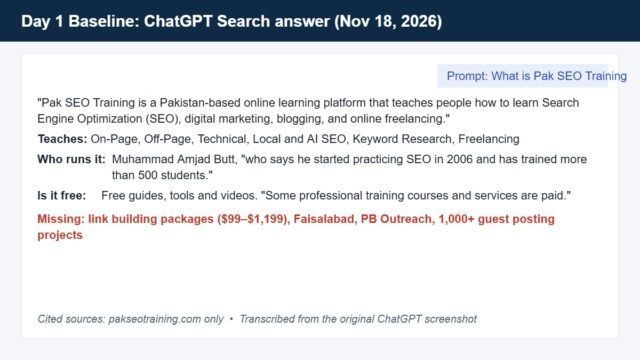
How I’m Fixing Wrong Brand Info in ChatGPT in 14 Days (Live Experiment Log)
Live 14-day experiment: I'm fixing wrong and missing brand info about Pak SEO Training in ChatGPT Search. Day 1 audit, schema code,…

How to Translate a PDF Without Breaking Its Layout
You receive a PDF in a language you do not read. A contract from a supplier, a research paper for class, a…