Top 3 Websites to Create Viral AI Videos for Kids
3 Websites to Create Viral AI Videos for Kids
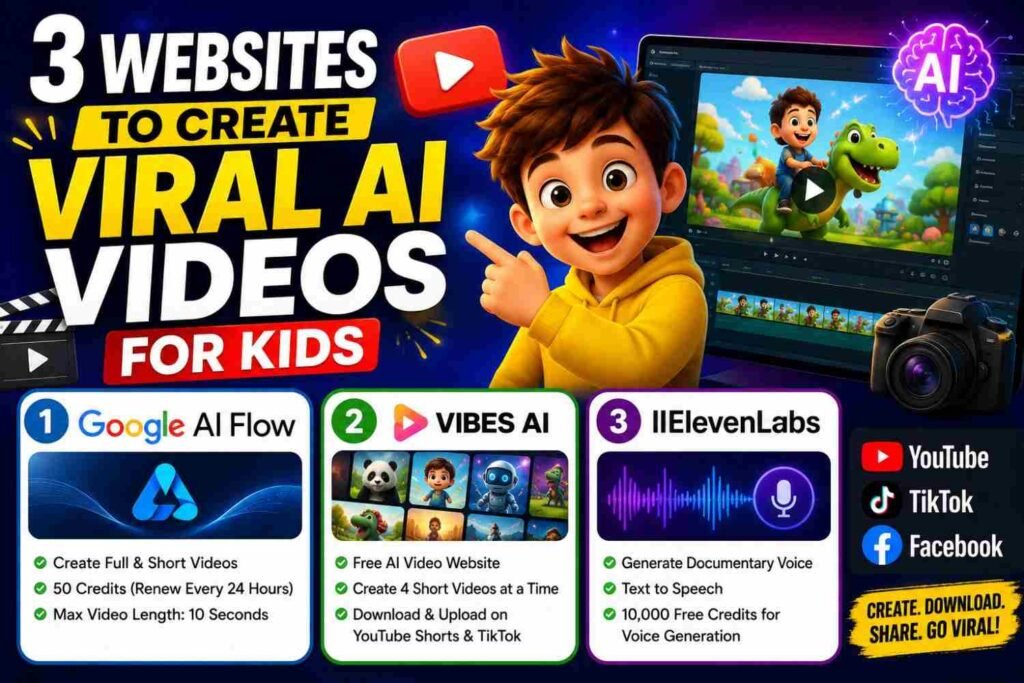
There are 3 websites that we can use to create viral AI videos for kids. With these websites, we can create kids’ videos as well as other AI short or long videos. In this article, I will tell you the names of these 3 websites and explain how you can get a script from ChatGPT and use it to create an AI video.
1. How to Make Videos with Google AI Flow?
Google AI Flow is the first website that we can use to create AI videos. You can use it to create both full-size YouTube videos and short-form videos for platforms like YouTube Shorts, TikTok, and Facebook.
Practical Steps
First, go to Google.com and search for Google AI Flow. After that, open the Google AI Flow website:
https://labs.google/fx/tools/flow
Now, log in with your Gmail account. As soon as you log in, you will receive 50 credits. These credits are also renewed every 24 hours.
If you want to create a full-size YouTube video, select 16:9.
If you want to create a YouTube Short, TikTok, or Facebook Short, select 9:16.
After that, you can ask ChatGPT to create your video script. You should also create the images that you need according to your script.
Now, in Google AI Flow, click on the + button and upload the image you created. After uploading the image, you need to provide a prompt according to that image.
After that, click to generate the video. Google AI Flow will ask you for approval. As soon as you click on approval, it will tell you how many credits are required to create the video.
One thing to remember is that the maximum video length is 10 seconds.
After some time, your video will be ready. You can download the video and upload it to YouTube, TikTok, and Facebook.
2. Free AI Video Website – Vibes AI
Vibes AI is the second free AI video website. It can be used to create short AI videos.
Practical Steps
First, open Vibes AI and log in with your Facebook account.
After logging in, you will see a “Create New” option. Click on Create New.
After that, you will get a box. Add your prompt in this box and click on Video.
Remember that this website creates short videos. You can create 4 videos at one time.
Once your videos are ready, you can download them and upload them to YouTube Shorts and TikTok.
3. ElevenLabs
ElevenLabs is the third website. With ElevenLabs, we can generate a documentary voice for our videos. If we do not want to use our own voice, we can use ElevenLabs to create a voice.
Practical Steps
First, click on “Text to Speech.”
After that, on the right side, select your favourite person’s voice.
Now, add your prompt or script in the box and click on Generate.
After some time, your voice will be ready. You can download the voice and use it in your video.
ElevenLabs can also create image-to-video content, but this requires more credits, which are paid. However, you also get 10,000 free credits, which you can use for voice generation.
People Also Ask
Can Google AI Flow create videos for free?
Yes, Google AI Flow offers free credits that you can use to create AI videos. You can use these credits to generate short videos, including content for YouTube Shorts, TikTok, and Facebook.
Is Vibes AI free to use?
Yes, Vibes AI can be used to create short AI videos. After logging in, you can add your prompt and generate multiple short videos at one time, which you can download and use on social media platforms.
Can ElevenLabs create AI voices for videos?
Yes, ElevenLabs can create AI voices for your videos. You can use the Text to Speech option, select a voice, add your script, and generate the voice. It also provides free credits for voice generation.
What are the best websites to create AI videos?
Google AI Flow, Vibes AI, and ElevenLabs are useful websites for creating AI video content. You can use them to create videos, short clips, and AI voices for platforms such as YouTube, TikTok, and Facebook.