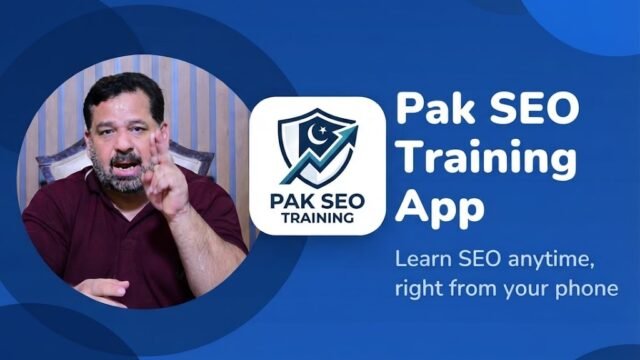
The Pak SEO Training free SEO toolkit gives freelancers five tools at no cost: the Outreach Email Writer for client pitches, Ask an SEO Question for 3-line SEO answers, the Free Website Directory for inbound buyers, the Facebook Question Post Generator for social media engagement, and the Pak SEO Training app for learning SEO on your phone. Every tool is free, needs no sign-up and works on mobile and desktop.
Thank you for reading this post, don't forget to subscribe!Which Tools Are in the Free SEO Toolkit?
- Outreach Email Writer – write and send client pitches in under 3 minutes.
- Ask an SEO Question – get a clear SEO answer in 3 lines.
- Free Website Directory – list your website with DR and traffic for buyers.
- Facebook Question Post Generator – create question posts with a ready image from any keyword.
- Pak SEO Training App – every lesson, tool and video in one app under 1 MB.
Key Points at a Glance
- 100% free: no account, no subscription and no hidden fees.
- Works everywhere: Android, iPhone, Windows and Mac, in any modern browser.
- Saves time: a pitch takes 2 to 3 minutes, an SEO answer under 30 seconds and a Facebook post about 1 minute.
- Covers the full freelance cycle: learning, pitching, social media and inbound leads.
- Built by a practitioner: created by Muhammad Amjad Butt, who has practised SEO since 2006 and mentored more than 500 students.
Why Do Freelancers Need a Free SEO Toolkit?
Freelancing means wearing many hats at once: finding clients, writing outreach pitches, fixing technical problems, auditing websites, staying active on social media and learning new skills. Premium SEO suites often cost $100 to $500 per month, which is a steep barrier for beginners and for professionals in growing markets like Pakistan.
To close this gap, Muhammad Amjad Butt built a set of free, no-signup tools hosted on pakseotraining.com. Each tool solves one daily job, and all of them run smoothly in mobile and desktop browsers. Below, you will find why each tool matters, its core features, how to use it step by step and why freelancers find it useful.
What Does Each Tool Do and How Do You Use It?
1. Outreach Email Writer: How Can You Win More Clients Without Pitch Fatigue?
Why does it matter? Cold pitching is tiring, and busy website owners ignore generic templates. Email providers also watch sender reputation closely, so messages that many people mark as spam start landing in the spam folder. The Outreach Email Writer helps you create targeted, professional pitches quickly, so you can send fewer, better emails and protect your domain reputation.
What are its core features?
- Website manager: save your brand name, main URL and an extra link, then choose which site to promote in each email.
- Template options: guest post pitch, link building offer, short article on a topic, follow-up email and a full pb1 article in HTML.
- Two writing modes: AI writing for unique content, or a quick template mode that works offline with no AI.
- Flexible length: from short 200-word pitches up to 2,000-word drafts.
- Editable workspace: change the subject and body instantly, with a live word counter.
- One-click Gmail draft: opens Gmail with the recipient, subject and body already filled in.
- Branded designs: clean card and personal letter layouts, with your brand color and logo.
How do you use it step by step?
- Add your website details in section 1 and select the site you want to promote.
- Enter your name, the client’s website URL and, if you have one, a Google Doc draft link.
- Choose a template, writing mode, topic and length.
- Add the recipient’s email and name, then click Write Email.
- Rewrite the opening line with one real detail about the client’s website, so your email stands out from generic pitches.
- Click Send with Gmail, review the draft once and press Send.
Why do freelancers find it useful? It removes the blank-page problem. Instead of spending 20 minutes on one message, you can prepare a tailored, professional pitch in under 3 minutes and spend the saved time on research.
2. Ask an SEO Question: How Can You Get Instant Clarity Before Client Calls?
Why does it matter? Nothing hurts client confidence faster than hesitating on a technical question during a call. Ask an SEO Question works as a quick safety net, giving you a short, jargon-free explanation in under 30 seconds.
What are its core features?
- 3-line answer format:
- Line 1, the definition: what the term or problem means.
- Line 2, the reason: why it affects rankings or traffic.
- Line 3, the action: the next step to take.
- Wide topic coverage: keyword research, on-page SEO, technical SEO, backlinks, local SEO, WordPress (Rank Math and Yoast) and Google AI Overviews.
- Multilingual input: ask in English, Urdu or Roman Urdu and get a clear answer in English.
How do you use it step by step?
- Open the tool from the ASK SEO Q button in the site header.
- Ask one specific question at a time, such as “Why is my new blog post not indexed?” instead of “Google indexing issue.”
- Add context, such as your platform (WordPress) or your target market, for a more accurate answer.
Why do freelancers find it useful? It gives instant reassurance. You can refresh an unfamiliar topic right before a consultation and explain complex Google changes to clients in simple words.
3. Free Website Directory: How Can You Connect Directly With Buyers?
Why does it matter? Guest post buyers and link builders are always looking for websites with clear metrics. The Free Website Directory lists sites with Domain Rating (DR) and monthly traffic, so buyers can find and contact owners directly, with no middleman.
Note on nofollow links: every outbound link in the directory uses rel="nofollow" by design, in line with Google’s guidance on link spam. The real value is visibility, referral traffic and direct business enquiries, not ranking power.
What are its core features?
- Clear metrics: position, favicon, site name, domain, DR, traffic, open count and a Contact button.
- Honest open counter: repeat clicks from the same visitor within 30 seconds count only once.
- Sorting: sort by Highest DR, Most Traffic, Most Opened or Newest.
- Mobile layout: rows turn into compact cards on phones, and large numbers are shortened, so 120,000 shows as 120K.
How do you use it step by step?
- Enter your clean domain name (without https:// or a trailing slash) and your business email.
- Add your real website name, without keyword stuffing.
- Enter your Ahrefs Domain Rating as a whole number from 0 to 100 and your monthly traffic as a plain number.
- Submit the form. Your site goes live right away. Adult, casino, gambling and loan sites are blocked automatically.
Why do freelancers find it useful? It creates a steady flow of warm, inbound enquiries. Buyers see your metrics before they contact you, so you spend less time chasing cold leads.
4. Facebook Question Post Generator: How Can You Get More Comments on Facebook?
Why does it matter? Question posts invite people to reply, and comments help a page stay visible and build a community. But writing a fresh, useful question every day takes time. The Facebook Question Post Generator turns any keyword into a ready question post with a matching image, so you can stay active on social media in about 1 minute a day.
What are its core features?
- Keyword-based questions: type a keyword such as SEO, AI SEO or backlinks, and the tool detects the topic automatically.
- 13 categories: SEO, Google ranking, AI SEO, backlinks, keyword research, technical SEO, local SEO, content writing, YouTube SEO, social media, WordPress SEO, freelancing and digital marketing.
- Three question styles: quiz with multiple-choice options, poll and open discussion question, or a mix of all styles.
- A new question every click: the tool remembers your recent questions, so the same one does not repeat.
- Complete post text: a hook line, the question, a short explanation, options, a comment call to action, your website name and topic hashtags.
- Ready 1080 x 1080 image: a branded image in the category’s color, always downloaded under 100 KB.
- Your own photo: upload a background photo, and the tool adds the question on top with a dark overlay for easy reading.
- Answer reply: a ready comment with the correct answer to post after 24 hours.
- No API needed: it runs fully in the browser, so it keeps working on any device.
How do you use it step by step?
- Type a keyword or tap one of the quick topic buttons.
- Keep the category on Auto detect, or pick one yourself.
- Choose a question style and enter your website or page name.
- Optional: upload a background photo.
- Click Generate Post. Click New Question until you find one you like.
- Click Copy Post and Download Image, then paste the text and add the image on Facebook.
- After 24 hours, click Copy Answer Reply, post it as a comment and pin the best answer.
Why do freelancers find it useful? An active page builds trust with clients. With this tool, you never run out of post ideas, every post is ready in about 1 minute, and each question shows your knowledge in a way that invites people to talk to you.
5. Pak SEO Training App: How Can You Master SEO on the Go?
Why does it matter? Digital professionals spend much of their day on their phones. Waiting until you sit at a desk to study wastes useful time. The Pak SEO Training app is a Progressive Web App (PWA) that puts the full Pak SEO Training library on your phone in a package under 1 MB.
What are its core features?
- All-in-one hub: every article, guide, tool and YouTube tutorial from the site.
- PWA technology: installs on Android, iOS, Windows and macOS with a home screen icon and full-screen view.
- Offline reading: articles you opened before stay available without internet.
- Privacy first: no access to your camera, contacts or location.
How do you install it step by step?
- Android: visit pakseotraining.com, tap Download App, open the APK file, allow installation from unknown sources if asked, and finish setup.
- iPhone or iPad: open the site in Safari, tap Share and select Add to Home Screen.
- Chrome or Edge on desktop: click the install icon in the address bar.
Why do freelancers find it useful? At under 1 MB, it runs smoothly even on entry-level phones. Spending 20 to 30 minutes a day in the app turns commute and waiting time into steady professional growth.
Which Tool Should You Use for Each Goal?
| Your Goal | Recommended Tool | Time Needed |
|---|---|---|
| Send client pitches | Outreach Email Writer | 2 to 3 minutes per email |
| Solve an SEO question fast | Ask an SEO Question | Under 30 seconds |
| Attract guest post buyers | Free Website Directory | About 1 minute per site |
| Get more comments on Facebook | Facebook Question Post Generator | About 1 minute per post |
| Build skills on mobile | Pak SEO Training App | 20 to 30 minutes a day |