AI tools like ChatGPT, Claude and Gemini can write, explain, plan and brainstorm in seconds. But the quality of what you get depends almost entirely on what you type. A short, vague request gives you a short, vague answer. A clear, well-built request gives you something you can actually use. This guide explains how to write a prompt step by step, with simple examples and ready-to-use templates, so you get better AI results from the very first try.
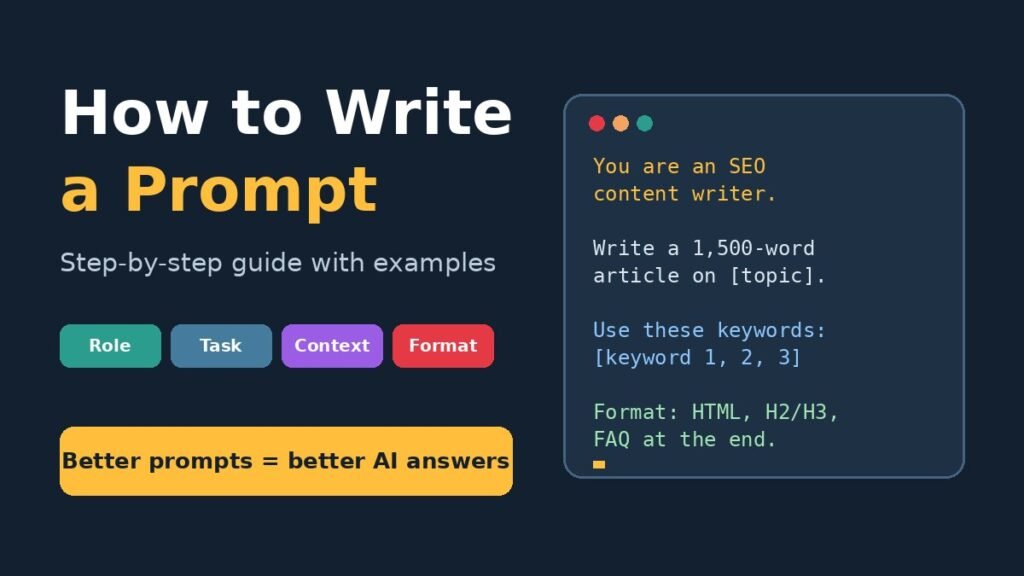
Thank you for reading this post, don't forget to subscribe!Quick answer: To write a good prompt, tell the AI who it should act as (role), what you want it to do (task), the background details it needs (context) and how the answer should look (format). Be specific, give an example if you can, then review the answer and refine your prompt.
What Is a Prompt?
A prompt is the instruction or question you give to an AI tool. It can be one line, such as “Summarize this email,” or a detailed set of instructions with examples, rules and a required format. Think of a prompt as a brief you would give to a new assistant. The assistant is smart and fast, but it does not know your goal, your audience or your preferences unless you tell it.
Why Writing a Good Prompt Matters
AI does not read your mind. It fills any gap in your instructions with its best general guess. That is why a weak prompt usually produces generic, average content. A strong prompt helps you:
- Get accurate, relevant answers on the first attempt
- Save time on rewriting and follow-up questions
- Control the tone, length and structure of the output
- Get results that fit your real audience and purpose
The 4 Parts of a Good Prompt
Almost every effective prompt is built from four simple parts. You do not always need all four, but the more of them you include, the better your result will be.
1. Role
Tell the AI who it should act as. A role sets the expertise level and the point of view. For example: “You are an experienced SEO content writer” or “Act as a friendly primary school teacher.”
2. Task
State exactly what you want done, using a clear action word such as write, explain, summarize, compare, list, translate or rewrite. “Write a 1,000-word blog post” is a task. “Something about blogging” is not.
3. Context
Give the background the AI needs: who the audience is, why you need the content, what you already have and any limits it must respect. Context is usually the part people skip, and it is the part that makes the biggest difference.
4. Format
Describe how the answer should look. Do you want a table, bullet points, a numbered list, an email, HTML code or short paragraphs? Should it be under 200 words? Should it end with a FAQ? Saying this upfront saves you from reformatting later.
How to Write a Prompt in 6 Simple Steps
Sample Prompt: (copy and paste)
Please read carefully. This is the topic I want to write an article on:
“[WRITE YOUR TOPIC/TITLE HERE]”
Here are my competitor links for this topic:
1. [COMPETITOR LINK 1]
2. [COMPETITOR LINK 2]
3. [COMPETITOR LINK 3]
4. [COMPETITOR LINK 4]
Analyze these pages carefully and find the keywords that help them rank on Google. Use those keywords in my article, and also add even better keywords that can help my content rank at the top of Google.
The article should also be well-optimized for AI search tools, so follow both AI search guidelines and keyword best practices. The article must be 100% unique. Do not copy or reuse any content. It should be fully original and written to rank on Google using strong ranking keywords.
Create a new, unique post title that is different from all competitor titles, includes the focus keyword, and makes people want to click.
Give me the article as HTML code pasted as text in the chat. Do not give me an HTML file.
Along with the article, please also provide:
– Unique post title
– SEO title (under 60 characters)
– Meta description (under 155 characters)
– Slug
– Focus keyword
– Featured image (under 100 KB)
– In-article images (under 100 KB each)
Solved:
Please read carefully. This is the title I want to write an article on:
“Kids’ Room Cleaning Guide: Toys, Crayon Marks on Walls and Bedding” change it
Here are 4 competitor links for this topic: (also change )
1. https://www.happycleans.com/2025/06/how-to-clean-crayon-marks-off-your-walls/
2. https://simplegreen.com/fj/household/cleaning-tips/diy/crayon/
3. https://www.todaysparent.com/family/cleaning-hacks-to-keep-your-family-dirt-free/
4. https://homecleaningfamily.com/how-to-remove-crayon-marks-from-walls-pinterest-experiment/
Analyze these pages carefully and find the keywords that help them rank on Google. Use those keywords in my article, and also add even better keywords that can help my content rank at the top of Google.
The article should also be well-optimized for AI search tools, so follow both AI search guidelines and keyword best practices. The article must be 100% unique. Do not copy or reuse any content. It should be fully original and written to rank on Google using strong ranking keywords.
Give me the article as HTML code pasted as text in the chat. Do not give me an HTML file.
Along with the article, please also provide:
– Post title
– SEO title
– Meta description
– Slug
– Focus keyword
– Featured image
Step 1: Know Your Goal
Before you type anything, decide what a good result looks like. Do you need a social media caption, a product description, a study plan or a piece of code? A clear goal leads to a clear prompt.
Step 2: Give the AI a Role
Start with a role that matches your goal. “You are a professional copywriter” will produce different writing than “You are a science teacher explaining to 10-year-olds.” The role shapes vocabulary, depth and tone.
Step 3: Add Useful Context
Explain your audience, purpose and situation. For example: “This is for a home cleaning blog. The readers are busy parents who want quick, practical tips.” The AI now knows who it is writing for and why.
Step 4: Be Specific
Replace general words with clear details. Instead of “short,” say “under 150 words.” Instead of “some ideas,” say “10 ideas.” Include must-use keywords, things to avoid and the tone you want, such as friendly, formal or persuasive.
Step 5: Set the Output Format
Tell the AI exactly how to present the answer. For example: “Use H2 and H3 headings, short paragraphs and a FAQ section at the end, and give the result as HTML code.” If you have a sample you like, paste it in and say “Follow this style.”
Step 6: Review and Refine
Your first prompt does not have to be perfect. Read the answer, then ask for changes: “Make it simpler,” “Add two more examples” or “Shorten the introduction.” Each follow-up teaches the AI more about what you want. When you find a prompt that works well, save it as a template.
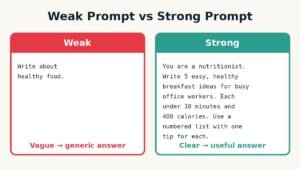
Weak Prompt vs Strong Prompt: Examples
The easiest way to understand prompt writing is to compare a weak prompt with a strong one.
| Weak Prompt | Strong Prompt |
|---|---|
| Write about healthy food. | You are a nutritionist. Write 5 easy, healthy breakfast ideas for busy office workers. Each should take under 10 minutes. Use a numbered list with one tip for each. |
| Make a workout plan. | You are a fitness coach. Create a 7-day home workout plan for a beginner with 20 minutes a day and no equipment. Show it as a table with one row per day. |
| Write an email to my boss. | Write a short, polite email to my manager asking to move Friday’s meeting to Monday because a client deadline was moved forward. Keep it under 100 words. |
| Explain SEO. | Explain SEO to a small shop owner with no technical knowledge. Use simple words, one everyday example and no more than 5 short paragraphs. |
In every case, the strong prompt adds a role, a precise task, real context and a clear format. That is the whole secret.
Ready-to-Use Prompt Templates
Template for Writing an Article
“You are an expert [niche] writer. Write a [word count]-word article titled ‘[title]’ for [audience]. Use these keywords naturally: [keywords]. Use H2 and H3 headings, short paragraphs, one table and a FAQ section at the end. Keep the tone [friendly/professional]. The content must be original.”
Template for Explaining a Topic
“Explain [topic] to [audience] in simple words. Use one real-life example and finish with a three-point summary. Keep it under [number] words.”
Template for Getting Ideas
“Give me [number] [type of ideas] for [purpose/audience]. For each idea, add one sentence explaining why it works. Avoid [things you do not want].”
Template for Rewriting Text
“Rewrite the text below to make it [shorter/clearer/more persuasive] for [audience]. Keep the main meaning and all key facts. Text: [paste text]”
Common Prompt Writing Mistakes to Avoid
- Being too vague: “Write something good” gives the AI nothing to work with.
- Asking for too many things at once: Break large jobs into smaller prompts, such as outline first, then sections.
- Skipping the audience: The same topic needs very different writing for children, beginners or experts.
- Not stating the format: If you need a table, a list or HTML, say so clearly.
- Accepting the first answer: Follow-up prompts are where good results become great results.
- Not checking facts: AI can make mistakes, so always verify important numbers, names, dates and claims.
Tips to Write Better AI Prompts
- Use simple, direct language and full sentences.
- Put the most important instruction near the start.
- Give an example of the style or output you want.
- Tell the AI what to avoid as well as what to do.
- Use placeholders like [topic] to turn good prompts into reusable templates.
- Ask the AI to ask you questions first if the task is complex: “Before you start, ask me any questions you need.”
Frequently Asked Questions
What is the best way to write a prompt?
The best way is to include a role, a clear task, useful context and the format you want. Be specific about length, tone and audience, then refine the answer with follow-up prompts.
How long should a prompt be?
There is no fixed length. A simple question can be one line, while a detailed writing task may need a full paragraph. Include every detail the AI needs, and leave out anything that does not affect the result.
Do the same prompts work in ChatGPT, Claude and Gemini?
Yes. The same principles of clarity, context and format work in all major AI tools. Results may differ slightly, so test and adjust your prompt in the tool you use most.
Can I reuse a prompt?
Yes. Save prompts that work well and replace the details with placeholders such as [topic], [audience] and [word count]. This turns them into templates you can use again and again.
Why does AI give me generic answers?
Generic answers usually come from generic prompts. Add a specific audience, purpose, examples and limits, and the answers will become much more focused and useful.
Final Thoughts
Learning how to write a prompt is one of the most useful skills you can build today. You don’t need technical knowledge, just a clear structure: role, task, context and format. Start with the templates in this guide, compare your weak and strong prompts, and keep refining. With a little practice, you will get faster, sharper and more useful answers from any AI tool you use.