Loading the tool… If this message does not go away, please refresh the page.
AI Answer Readiness Checker
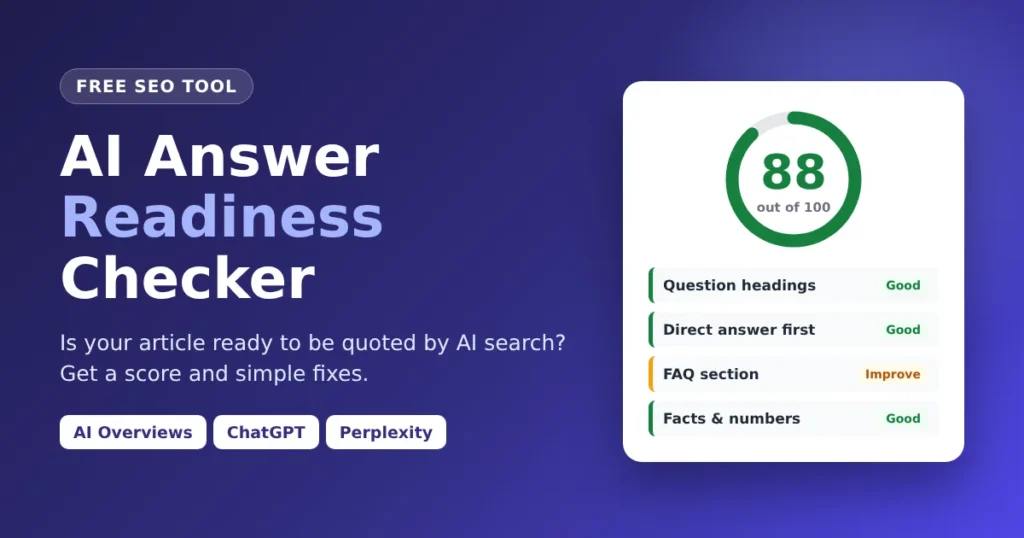
Find out if your article is ready to be quoted by Google AI Overviews, ChatGPT and Perplexity. Free, no sign-up, and your text never leaves your browser.
AI Answer Readiness Checker
Find out if your article is ready to be quoted by Google AI Overviews, ChatGPT and Perplexity. Free, no sign-up, and your text never leaves your browser.
What Does the AI Answer Readiness Checker Do?
The AI Answer Readiness Checker scores your article from 0 to 100 based on how easy it is for AI search to quote. Google AI Overviews, ChatGPT and Perplexity build answers from short, clear passages, so the tool shows which parts already work and what to change to get cited more often.
Thank you for reading this post, don't forget to subscribe!The tool does not rewrite your content. Every fix is explained in plain language, so you stay in control of every word.
Why AI Readiness Matters Now
Search is moving from “find a page” to “get an answer”. A growing share of searches now end with an AI summary at the top of the results, and many people ask chatbots instead of typing into a search box. Being cited inside that answer brings visibility, trust and clicks from readers who want more detail.
Classic SEO still matters: good keywords, backlinks and a fast site. But AI engines add one more filter. They prefer content that is easy to lift out and quote. A page can rank on page one and still be ignored by AI if its answers are buried. This checker focuses on that missing piece.
How to Use the Tool in 4 Simple Steps
- Enter your main question or keyword (optional). Type the question your article answers, such as “what is technical seo”. This unlocks an extra check that confirms you answer it early.
- Paste your full article. Copy it from your live page, the WordPress editor, Google Docs or Word. Headings and lists are kept automatically. You can also paste raw HTML code or Markdown. The article needs at least 150 words.
- Click “Check My Article”. The result appears in about a second. Keyboard users can press Ctrl + Enter (Cmd + Enter on Mac).
- Fix the red items first. Work from top to bottom, update your article, paste it again and watch the score rise.
Not sure what a good result looks like? Click “Try a Sample” to load a short demo article and see a full report in action.
How the Tool Works: The Method Behind the Score
When you click the button, the tool breaks your article into its building blocks: the title, subheadings, paragraphs, list items and table rows. It then measures each block against patterns that AI answer engines tend to reward. Every check has a set number of points. More important checks carry more weight, and the final total is turned into a score out of 100.
Here is what each check looks for and why it counts.
1. Question-Style Headings (15 points)
People talk to AI tools in questions. A heading like “What is technical SEO?” matches that question almost word for word, so AI can connect it to the right query. The tool counts how many of your H2 and H3 headings are real questions. Aim for at least 40%.
2. Direct Answer in the First Lines (15 points)
This is one of the most important signals. The tool checks your opening paragraph for two things: is it short enough to quote (roughly 20 to 60 words), and does it start with the answer instead of filler?
3. An Answer Right Under Each Question (10 points)
A question heading only helps when the answer comes right after it. The tool checks that each question heading is followed by a clear 12 to 90 word paragraph or a list.
4. Clear Definitions (10 points)
Sentences like “Technical SEO is the process of…” or “A backlink refers to…” are perfect quotes for an AI summary. The tool counts definition-style sentences and rewards articles that explain key terms simply.
5. Lists and Steps (10 points)
AI answers often show steps, tips and features as lists. The tool counts your bullet and numbered list items. Articles with several useful lists score highest.
6. Facts, Numbers and Sources (10 points)
Specific details make a page worth citing. The tool counts numbers, percentages, prices and dates, and looks for source phrases such as “according to”, “a study found” or “research shows”. Vague content with no facts scores low.
7. FAQ Section (10 points)
A dedicated FAQ section near the end of the article gives AI engines ready-made question and answer pairs. The tool checks for an FAQ heading and counts the questions inside it.
8. Short, Scannable Paragraphs (8 points)
Long walls of text are hard to quote. The tool measures your average paragraph length and flags paragraphs over 120 words.
9. Easy-to-Read Sentences (7 points)
Shorter sentences are easier to understand and easier to quote without losing meaning. The tool calculates your average sentence length. Around 12 to 20 words is the sweet spot.
10. Self-Contained Passages (5 points)
AI tools often quote one paragraph on its own, without the text around it. A paragraph that starts with “It”, “This” or “They” stops making sense once it is lifted out. The tool flags these openings so each passage can stand alone.
11. Content Depth (5 points)
Thin articles rarely cover the follow-up questions readers ask. The tool checks your total word count and encourages enough depth to cover the topic properly.
12. Main Question Covered Early (5 points)
If you entered a keyword, the tool checks that it appears in the first 120 words and in at least one heading. If you leave the keyword box empty, this check is skipped and the score is calculated from the remaining checks, so you are never penalised.
Bonus Tip: Comparison Tables
Tables do not change your score, because not every article needs one. But if you compare products, prices or features, the tool reminds you that a simple table is a format AI answers love to reuse.
What Your Score Means
- 80 to 100, Excellent: your article is well structured for AI answers. Polish the last few items to stay ahead.
- 60 to 79, Good: a solid base. A few targeted changes can make a real difference.
- 40 to 59, Needs work: AI tools may struggle to find a clear answer. Start with the red items.
- Below 40, Not ready yet: the structure is holding your content back. Follow the fixes step by step.
Each check in the report is colour coded. Red means fix this first, amber means it can be improved, and green means it already works in your favour.
Key Features
- Instant score out of 100 with a clear verdict you can understand at a glance.
- 12 focused checks built around how AI answer engines choose what to quote.
- A plain-English fix for every issue, not just a list of problems.
- Suggested question headings that turn your ordinary headings into question form you can edit and use.
- Quick article stats: word count, subheadings, question headings, paragraphs, list items and numbers.
- Works with any format: paste from a website, Google Docs, Word, HTML code or Markdown.
- Copy Report button to save the results or share them with a writer or client.
- 100% private: your article is checked inside your own browser. Nothing is uploaded or stored.
- Free with no sign-up and no limit on how many articles you check.
- Works on any device: desktop, laptop, tablet and phone.
Quick Ways to Raise Your Score
- Rewrite your first paragraph so it answers the main question in 40 to 60 words.
- Change at least half of your subheadings into questions real people ask.
- Put a one to three sentence answer directly under every question heading.
- Add a short “X is a…” definition for your main topic and key terms.
- Turn steps and tips into numbered or bullet lists.
- Add real numbers and name your sources.
- Finish with a FAQ section of four to six common questions.
Who Is This Tool For?
The checker is built for bloggers, SEO professionals, content writers, editors, agency teams and business owners who publish articles online. It is equally useful for checking a draft before you publish and for refreshing old posts that have lost traffic. Students learning SEO can also use it to understand how modern AI search reads content.
Limitations to Keep in Mind
This tool checks structure and writing patterns. It cannot read your website’s authority, backlinks, page speed or the accuracy of your facts, and no tool can promise that an AI engine will cite you. Think of it as a structure coach: it makes sure that when AI looks at your page, the answer is easy to find.
Frequently Asked Questions
Is the AI Answer Readiness Checker free?
Yes. The tool is completely free, needs no account and has no daily limit. You can check as many articles as you like.
Is my article saved or shared?
No. The whole check runs inside your own browser. Your article is never sent to a server, stored or shared with anyone.
Does a high score guarantee my page will appear in Google AI Overviews?
No tool can guarantee that. AI engines also look at your site’s authority, relevance and trust. A high score means your content is structured in a way that makes it easy to quote, which improves your chances.
What is a good AI readiness score?
A score of 80 or above is excellent. Anything from 60 to 79 is a good base that needs a few fixes. Below 60, start with the red items in the report.
Can I check an article before I publish it?
Yes. Paste your draft from Google Docs, Word or the WordPress editor. Checking before publishing is the easiest way to get the structure right from day one.
Why does the tool need at least 150 words?
Very short text does not have enough headings, paragraphs and sentences to measure fairly. With 150 words or more, the results are meaningful.
Is this the same as a normal SEO checker?
No. Normal SEO checkers focus on keywords, meta tags and links. This tool focuses on how quotable your content is for AI answer engines. Use both together for the best results.