SEO Audit Template (Free): Copy-Paste Checklist for 2026

Quick answer: An SEO audit template is a ready-made sheet that lists every check you need to run on a website, where to check it, and how urgent each fix is. Below is a free, copy-paste SEO audit template with 5 sections (indexing, technical, on-page, content and links). Copy the tables into Google Sheets, Excel or Notion, fill in the “Status” column for your site, and you will have a clear fix list in about 2 hours.
Most templates online are long PDFs or paid downloads. This one is different. It is built to be filled in, not just read. Every row tells you exactly which free tool to open, so even a beginner can run a full audit for their own site or a client.
How to Use This SEO Audit Template
Each section of the template uses the same five columns. Copy the header row into your sheet first:
| Check | Where to check | Status (Pass / Fail / N/A) | Priority (High / Med / Low) | Notes and fix |
|---|---|---|---|---|
| Example: Home page is indexed | Search Console, URL Inspection | Pass | High | No action needed |
Then follow three simple rules:
- Audit, don’t fix. Fill in every row first. Fixing as you go makes you lose the big picture.
- Be honest with priority. “High” means it blocks traffic or indexing. “Low” means nice to have.
- Write the fix, not just the problem. “12 pages missing meta description, write them” is better than “meta issue.”
Free tools you need
- Google Search Console for indexing, Core Web Vitals and search data
- PageSpeed Insights for speed and Core Web Vitals
- A site crawler such as Screaming Frog (free up to 500 URLs) for titles, status codes and links
- Google’s Rich Results Test for schema
- A browser in incognito mode for checking what real visitors see

Section 1: Indexing and Crawling Audit
Start here. If Google cannot crawl or index a page, nothing else on this list matters for that page.
| Check | Where to check | Status | Priority | Notes and fix |
|---|---|---|---|---|
| Site is verified in Search Console | Search Console | High | ||
| XML sitemap submitted, no errors | Search Console, Sitemaps | High | ||
| robots.txt does not block important pages | yoursite.com/robots.txt | High | ||
| Important pages are indexed | Search Console, URL Inspection | High | ||
| No important page has a noindex tag | Crawler, Indexability column | High | ||
| Count of “Crawled – currently not indexed” pages | Search Console, Pages report | Med | ||
| Count of “Discovered – currently not indexed” pages | Search Console, Pages report | Med | ||
| Canonical tags point to the right URL | Crawler, Canonical column | Med | ||
| Only one version of the site loads (https, www or non-www) | Browser, type each version | High |
How to read the two “not indexed” rows: “Discovered” means Google knows the URL but has not crawled it yet. “Crawled” means Google already fetched the page and decided not to add it to the index for now. The second one is usually a quality or duplication signal, not a technical block, so the fix is often better content and stronger internal links rather than resubmitting the URL.
Section 2: Technical SEO Audit
| Check | Where to check | Status | Priority | Notes and fix |
|---|---|---|---|---|
| Whole site loads on HTTPS | Browser, crawler | High | ||
| No 404 pages linked from your own site | Crawler, Response codes (4xx) | High | ||
| No redirect chains (A to B to C) | Crawler, Redirect chains report | Med | ||
| No 5xx server errors | Crawler, Search Console | High | ||
| LCP is 2.5 seconds or less | PageSpeed Insights (field data) | Med | ||
| INP is 200 ms or less | PageSpeed Insights (field data) | Med | ||
| CLS is 0.1 or less | PageSpeed Insights (field data) | Med | ||
| Site works well on mobile | Phone, Lighthouse | High | ||
| Schema markup has no errors | Rich Results Test | Low | ||
| Images have width and height set | Lighthouse | Low |
If the LCP row fails, follow our step-by-step guide to LCP optimization best practices for 2026. It shows how to split the 2.5-second budget and fix the slowest part first.

Section 3: On-Page SEO Audit
Run your crawler, export the list of pages, and check these rows. For a large site, audit your top 20 pages by traffic first.
| Check | Where to check | Status | Priority | Notes and fix |
|---|---|---|---|---|
| Every page has a unique title tag | Crawler, Page titles (duplicate / missing) | High | ||
| Titles are about 50 to 60 characters | Crawler, Page titles (length) | Low | ||
| Every page has a unique meta description | Crawler, Meta description | Med | ||
| One clear H1 per page | Crawler, H1 report | Med | ||
| Main keyword appears in title, H1 and first 100 words | Manual check | Med | ||
| URLs are short and readable | Crawler, URL report | Low | ||
| Images have descriptive alt text | Crawler, Images (missing alt) | Low | ||
| Each page has a clear search intent | Compare with top Google results | High |
Section 4: Content Quality Audit
This is the section most templates skip, and it is often the reason pages land in “Crawled – currently not indexed.” Score each important page honestly.
| Check | Where to check | Status | Priority | Notes and fix |
|---|---|---|---|---|
| No thin pages (very little useful text) | Crawler, Word count column | High | ||
| No two pages target the same keyword (cannibalization) | Search Console, Performance by query | High | ||
| Facts, prices and years are up to date | Manual check | Med | ||
| Author name and about page exist | Manual check | Med | ||
| Pages answer the question early (good for AI answers too) | Read the first paragraph | Med | ||
| Pages with impressions but low clicks are listed | Search Console, Performance | Med | ||
| Old posts with falling traffic are listed for refresh | Search Console, compare dates | Med |
Tip: In Search Console, sort pages by impressions and look for high impressions with a click-through rate under 1%. A better title and meta description can lift those pages fast without new content. If your site still seems invisible after the audit, read what to do first when a site is invisible on Google and AI.

Section 5: Internal Links and Backlinks Audit
| Check | Where to check | Status | Priority | Notes and fix |
|---|---|---|---|---|
| No orphan pages (pages with zero internal links) | Crawler + sitemap comparison | High | ||
| Important pages are 3 clicks or less from home | Crawler, Crawl depth | Med | ||
| Anchor text is descriptive, not “click here” | Crawler, Inlinks / anchor report | Low | ||
| No internal links to redirects or 404s | Crawler, Response codes | Med | ||
| Top linked pages list is reviewed | Search Console, Links report | Low | ||
| Backlinks pointing to 404 pages are redirected | Backlink tool, broken backlinks | Med | ||
| No sudden spike of spammy links | Backlink tool, new links | Low |
Weak internal linking is one of the most common reasons good pages stay stuck on page 2 or 3. Our guide on fixing poor internal linking gives 15 practical fixes you can apply right after this audit.
Turn Your Audit Into a Fix Plan
When every row is filled in, filter your sheet to show only “Fail” rows. Then sort them into this simple priority grid:
| Group | What goes here | When to fix |
|---|---|---|
| Fix now | High priority + quick fix (noindex mistakes, robots.txt blocks, broken internal links) | This week |
| Plan next | High priority + slow fix (thin content, speed problems, cannibalization) | Next 30 days |
| Quick polish | Low priority + quick fix (alt text, title length) | When you have spare time |
| Park it | Low priority + slow fix | Next audit |
Doing this for a client? Send the “Fail” list as a short summary with the fix plan. Our free SEO report template shows how to present results in a way clients understand.

How Often Should You Run an SEO Audit?
- Full audit (all 5 sections): every 3 to 6 months for most small and medium sites.
- Quick check (Section 1 and the 404 rows): once a month.
- Right away: after a site redesign, a migration, a theme or plugin change, or a sudden traffic drop.
Before you start, note your current organic traffic so you can measure progress later. A free website traffic checker also helps you compare your site with competitors.
FAQ: SEO Audit Template
What should an SEO audit template include?
A good template covers five areas: indexing and crawling, technical SEO, on-page SEO, content quality, and links. Each check should say where to look, its status, its priority and the fix.
Is this SEO audit template free?
Yes. Copy the tables on this page into Google Sheets, Excel or Notion. No sign-up or download is needed.
How long does an SEO audit take?
For a small site (under 100 pages), about 2 to 3 hours with this template. Larger sites take longer, so start with your top 20 pages by traffic.
Can I use this template for client audits?
Yes. Add the client name, website and audit date at the top, then share the “Fail” rows and the fix plan with them.
Do I need paid tools to do an SEO audit?
No. Google Search Console, PageSpeed Insights, the Rich Results Test and the free version of a crawler cover almost every row in this template. Paid tools mainly help with backlink checks and very large sites.
Conclusion
An SEO audit only works when it ends in a clear fix list. This SEO audit template gives you that structure: five sections, one check per row, the exact tool to use, and a priority for every problem. Copy it, fill it in, fix the “High” rows first, and run it again in three months to see how far your site has come.
Sources: Google Search Console Help: Page indexing report, PageSpeed Insights, Google Rich Results Test, web.dev: Web Vitals.

Muhammad Amjad Butt
SEO Trainer, CEO & Founder of PB Outreach
Muhammad Amjad Butt is an SEO specialist from Faisalabad, Pakistan, practicing SEO since 2006. He is the CEO and founder of PB Outreach and the trainer behind Pak SEO Training. He has trained 500+ students and completed 1,000+ guest posting projects for clients.
📚 Related Posts

Semrush Organic Rankings 2.0 Review: 4 Bugs & Why It Shows 0 Traffic (2026)
Honest Semrush Organic Rankings 2.0 review (2026). Learn how AI-Influenced Traffic, Mentions, and Citations work—plus 4 common bugs causing 0 traffic errors…

How Link Building Agencies Work in 2026 (With Real Agency Case Study)
Discover how link building agencies work behind the scenes—from outreach and publisher networks to pricing. Includes a real case study on Interamplify…
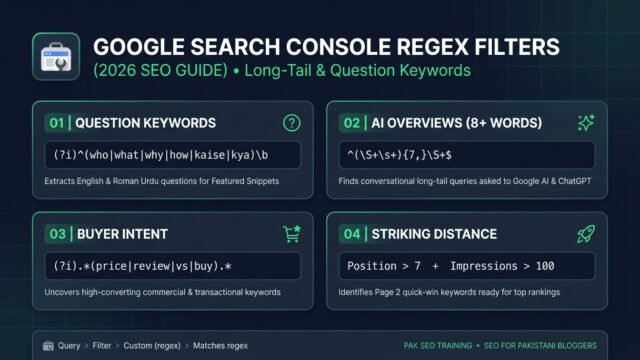
Google Search Console Regex Filters: Find Long-Tail Keywords (2026)
• Learn how to use Google Search Console regex filters to extract long-tail, question, and AI Overview keywords with copy-paste formulas and…