How to Find Guest Posting Clients Using Twitter?
Introduction
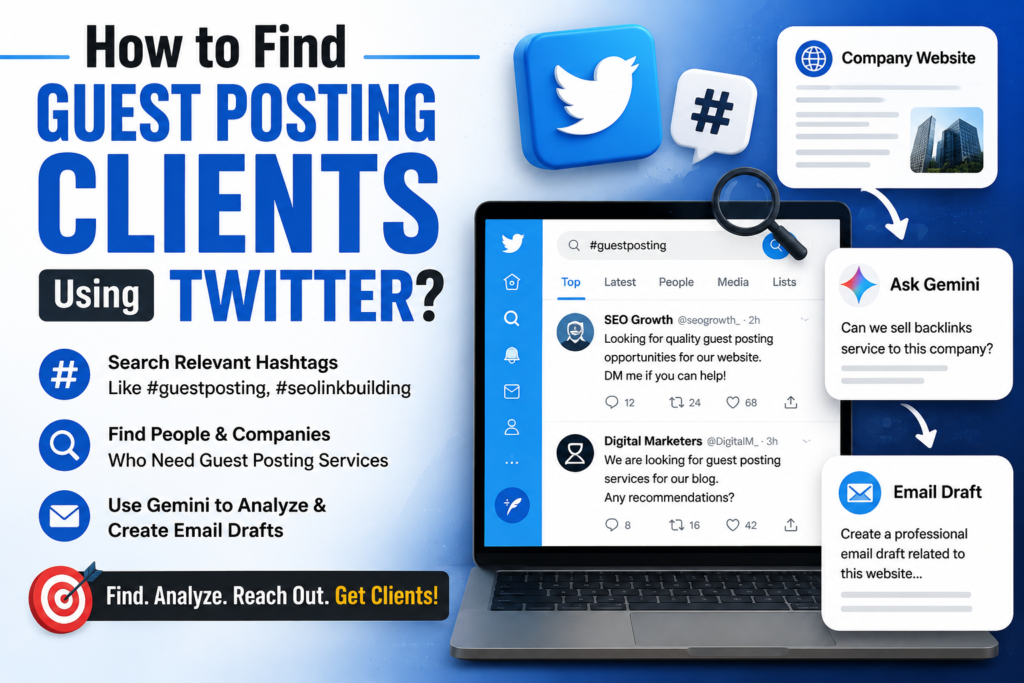
In this article, I will show you how you can use Twitter to find potential clients for guest posting and backlink services. By searching for relevant hashtags and keywords, you can discover people who are looking for guest posting services as well as companies that may be interested in link-building solutions. I will also explain how you can use Gemini to analyze a potential client’s website and create a professional email pitch.
Practical Steps
- First, open Google and search for Twitter.
- Open the official Twitter homepage.
- Now, use the Twitter search bar to search for keywords related to your service.
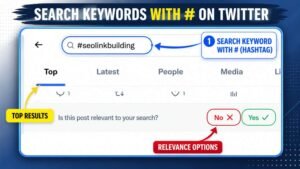
- When searching for keywords, use the # (hashtag), such as:
#guestposting#seolinkbuilding
- After searching for the keyword, you will find people who may need Guest Posting services and some relevant companies.

- Identify a relevant company and open its website in a new tab.
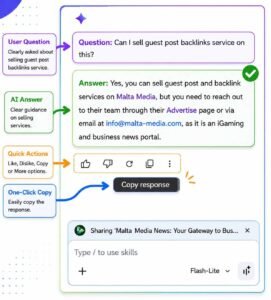
- After opening the website, ask Gemini whether you can sell your Backlinks service to that company.
- Gemini can guide you on whether offering backlinks or guest posting services to that company is relevant or not.
-
You can also ask Gemini:
“Create a professional email draft related to this website that I can send to the client and make the client interested in my service.”
- After that, customize the email draft provided by Gemini according to your service and send it to the potential client.
Frequently Asked Questions
1. Can I find guest posting clients using Twitter?
Yes. You can search for relevant hashtags such as #guestposting and #seolinkbuilding to find people and companies that may be interested in guest posting and backlink services.
2. How can Gemini help me find potential clients?
You can provide Gemini with information about a company’s website and ask whether your backlink or guest posting service would be relevant for that company. You can also ask Gemini to create a customized email pitch.
3. Should I customize the email before sending it?
Yes. You should review and customize the email according to the company’s website, niche, and your specific services. This can make your outreach more relevant and professional.