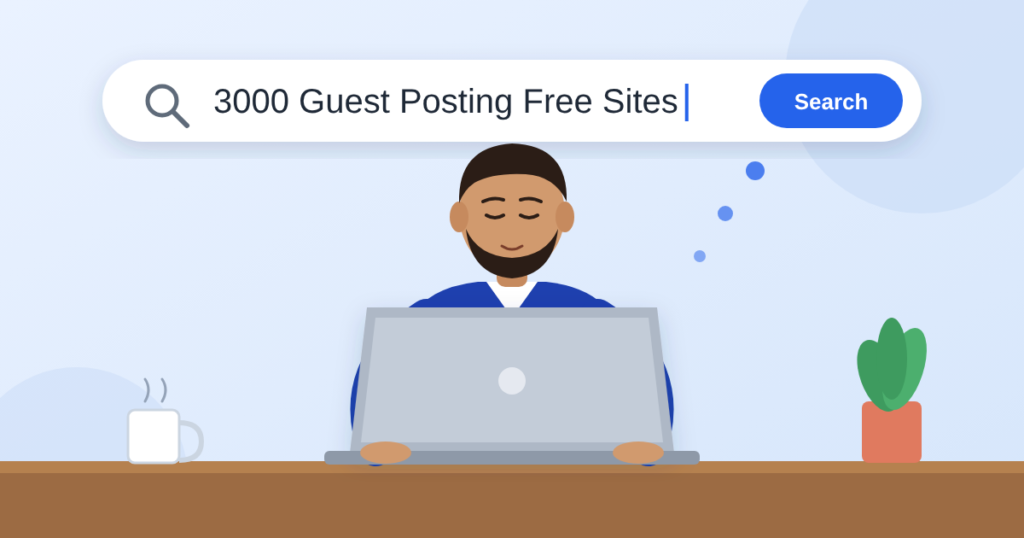
Quick answer: Free guest post sites are websites where you can create an account, write your own article, and publish it with a link back to your site at no cost. Below you will find our list of 3000+ free guest posting and article submission sites, plus a simple method to check each site’s DA, DR, niche and link type before you post.
Thank you for reading this post, don't forget to subscribe!Backlinks still help search engines decide which pages deserve to rank. But buying them every month is not possible for every blogger, student or small business. That is where free guest posting sites come in. They let you publish useful content, earn a backlink and get in front of new readers without spending money.
The problem is that most “free article submission sites” lists online are short, outdated or full of dead links. This guide fixes that with a large, freshly checked list and a clear process you can follow today.
In this guide you will learn:
- What free guest post and article submission sites are
- The difference between do-follow and no-follow links
- Where to get our 3000+ free guest posting sites list
- The best high-authority free platforms to start with
- How to check DA, DR, niche and do-follow status in minutes
- How to publish a post that actually gets indexed by Google
What Are Free Guest Post Sites?
Free guest post sites are platforms that let anyone sign up and publish an article without paying a fee. You usually get a profile page, a post editor and the option to add one or two links to your own website.
You will see these sites called by several names. They all mean roughly the same thing:
- Article submission sites: platforms built for publishing articles from many authors
- Web 2.0 sites: free blogging platforms where you get your own subdomain or blog
- Open guest posting sites: blogs that accept posts from any registered user
- Free backlink sites: a general term for any free platform that allows a link back to you
The main difference from a normal guest post is approval. On a normal guest post, an editor reviews and approves your article. On most free sites, your post goes live instantly or within a few minutes.
Do-Follow vs No-Follow Guest Post Links
A do-follow link passes ranking value (often called link equity) to your website. A no-follow link carries a rel="nofollow" tag, which tells Google not to pass that value directly.
| Link type | Passes ranking value | Brings traffic | Best use |
|---|---|---|---|
| Do-follow | Yes | Yes | Building authority for pages you want to rank |
| No-follow | Usually not | Yes | Referral traffic and a natural-looking link profile |
| Sponsored / UGC | Usually not | Yes | Paid placements and user-generated content |
Do-follow links are the main goal for most link builders. Still, do not ignore no-follow links. A backlink profile with only do-follow links can look unnatural, and no-follow links from busy platforms can send real visitors.
One honest note: a site’s link policy can change at any time. A platform that gives do-follow links today may switch to no-follow next month. That is why you should always check the link on your own published post (we show you how below).
Why Free Guest Posting Sites Still Matter in 2026
Free guest posting sites are not a magic ranking button, but they still help when you use them carefully. Here is what they can do for you:
- Faster indexing: A link from an active platform helps Google discover your new pages sooner.
- Brand mentions: Your brand name appears on more websites, which builds recognition with readers and search engines.
- Referral traffic: A useful post can send visitors to your site for months.
- A natural link profile: A mix of free, paid, do-follow and no-follow links looks more natural than one link type.
- Practice and testing: New bloggers can test topics and headlines before publishing them on their main site.
- Zero cost: You only spend time, which makes these sites ideal for new websites with no budget.
AI search tools such as Google AI Overviews and ChatGPT search also pull answers from many websites. When your brand and expertise appear on several trusted platforms, you have more chances to be mentioned in those answers.
Get the Full List: 3000+ Free Guest Posting Sites
Our complete list contains 3000+ free websites where you can create an account and publish your own posts. We have kept it in one place so you can bookmark it and work through it at your own pace.
Open the full list of 3000+ free guest posting sites here
The list covers free blogging platforms, Web 2.0 blogs and open article submission sites that accept posts in almost any niche, including business, technology, health, home, lifestyle, travel and finance.
How to use the list without wasting time:
- Copy 20 to 30 sites into a simple spreadsheet.
- Add columns for DA, DR, niche, link type, indexed (yes/no) and your post URL.
- Check each site with the method in the next sections before you write anything.
- Keep the best sites and remove dead or spammy ones.
- Publish a few posts every week instead of dozens in one day.
This way you build your own private, quality-checked list over time, sorted by the metrics that matter to your niche.
Best High-Authority Free Platforms to Start With
Before you work through the full list, start with a few well-known platforms. They are trusted, active and get indexed quickly. Most of them give no-follow links, but they bring traffic, authority signals and brand visibility.
| Platform | Best for | Approval | Typical link type |
|---|---|---|---|
| Medium | Long-form articles in any niche | Instant | No-follow |
| LinkedIn Articles | Business, career and B2B topics | Instant | No-follow |
| Blogger (Blogspot) | Your own free blog on a Google platform | Instant | Do-follow in post body |
| Google Sites | Simple pages and resource hubs | Instant | Usually do-follow |
| WordPress.com | A free blog with a subdomain | Instant | Mixed |
| Tumblr | Short posts with tags | Instant | Mixed |
| Quora Spaces | Answers and posts on question topics | Instant | No-follow |
| HubPages | Helpful how-to guides | Editorial review | No-follow |
| GitHub Pages | Tech tutorials and documentation | Instant | Do-follow |
| Telegraph (telegra.ph) | Quick posts without registration | Instant | Mixed |
Link types in this table are typical, not guaranteed. Platforms change their policies, so confirm the link type on your own live post.
How to Check DA, DR, Niche and Do-Follow Status
You can check any site from the list in about two minutes. Here is what to look at and which free tools to use.
| What to check | What it means | Free tool | Good sign |
|---|---|---|---|
| DA (Domain Authority) | Moz score of a domain’s ranking strength, 1 to 100 | Moz Link Explorer, MozBar | 30+ for a strong site |
| DR (Domain Rating) | Ahrefs score of a domain’s backlink strength, 0 to 100 | Ahrefs Website Authority Checker | 30+ for a strong site |
| Organic traffic | Visitors from Google per month | Ahrefs Traffic Checker, Semrush, Ubersuggest | Steady or growing traffic |
| Niche | The main topics the site covers | Read the homepage and categories | Matches or relates to your topic |
| Link type | Do-follow or no-follow | Right-click your link, then Inspect | No rel="nofollow" = do-follow |
| Indexing | Whether Google shows the site | Search site:domain.com in Google |
Recent pages appear |
| Spam level | Signs of a spammy site | Moz Spam Score, a manual check | Under 10% and clean content |
How to check do-follow on your published post:
- Open your live post in Chrome.
- Right-click on your link and choose Inspect.
- Look at the highlighted
<a>tag. - If you see
rel="nofollow",rel="ugc"orrel="sponsored", the link is not do-follow. If none of these appear, it is do-follow.
Remember that DA and DR are third-party scores, not Google metrics. A site with DR 20 that is relevant and gets real traffic can be more useful than a DR 60 site full of spam.
How to Publish a Guest Post on a Free Site (Step by Step)
The process is almost the same on every free platform:
- Prepare your details. Use a dedicated email address, a professional username, a short bio and a profile photo or logo.
- Create an account. Sign up, confirm your email and complete your profile. Add your website link to the profile if the site allows it.
- Write a unique article. Never paste the same text on several sites. Write a fresh post for each platform.
- Add your link naturally. Place one or two links inside the body where they genuinely help the reader.
- Format the post. Use a clear title, subheadings, short paragraphs and one relevant image.
- Publish and save the URL. Copy the live post link into your tracking sheet.
- Check the link and indexing. Inspect the link type, then search the post URL in Google after a few days.
- Help it get indexed. Share the post on social media or link to it from another post you have already published.
How to Write Guest Posts That Get Indexed and Ranked
A thin, rushed post on a free site often never gets indexed, so its backlink never counts. Follow these rules to give every post a real chance:
- Length: Aim for 600 to 1,000 words. Short 200-word posts are often ignored.
- Search intent: Pick a topic people actually search for, such as a how-to guide or a list.
- Long-tail keywords: Target specific phrases with three or more words. They are easier to rank on free platforms.
- Anchor text: Mix branded anchors (your site name), natural phrases and a few keyword anchors. Avoid repeating the same exact-match keyword.
- Originality: Write in your own words. Run the post through a plagiarism checker if you used research notes.
- Clear answers: Start each section with a direct answer. Google and AI search tools prefer content that answers questions plainly.
- Media: Add an image with descriptive alt text.
- Author bio: End with two lines about you and your website.
Treat each free post as a small piece of real content, not just a place to drop a link. That single change makes the biggest difference in results.
Mistakes to Avoid With Free Backlink Sites
- Building too many links too fast. Dozens of new links in one day can look manipulative. Grow slowly and steadily.
- Using spun or duplicate content. Rewritten copies of the same article add little value and often stay unindexed.
- Ignoring relevance. A link from a site about casinos does not help a home decor blog.
- Trusting DA or DR alone. Always check traffic, content quality and indexing too.
- Posting on spammy sites. Avoid sites full of gambling, adult or pharmacy posts and sites with no real readers.
- Using automated submission tools. Bulk posting software usually creates low-quality links that Google ignores or treats as spam.
- Forgetting to track your links. Without a sheet of your post URLs, you cannot tell which links are still live.
Google’s spam policies warn against links made mainly to manipulate rankings. Free sites are safe when you use them to share useful content, not to mass-produce links.
Free vs Paid Guest Posting: Which One Should You Choose?
Free sites are best for getting started; paid placements on real, niche-relevant blogs are best for strong, lasting results. Most successful sites use a mix of both.
| Factor | Free guest post sites | Paid guest posts on real blogs |
|---|---|---|
| Cost | Free | Paid per post |
| Approval | Instant or within minutes | Editorial review |
| Site quality | Varies a lot | Usually higher and checked |
| Niche relevance | Mostly general | Can match your exact niche |
| Link value | Low to medium | Medium to high |
| Referral traffic | Low | Often higher |
| Effort | Your time and writing | Mostly handled for you |
If you want high-quality, niche-relevant guest posts without the manual work, PB Outreach connects you with real websites that accept guest posts. Use our free list to build a base, then add stronger placements as your site grows.
Frequently Asked Questions
What are free guest post sites?
They are websites where anyone can create an account and publish an article for free, usually with a link back to their own website.
Are free guest posting sites still useful for SEO in 2026?
Yes, when used carefully. They help with indexing, brand mentions and a natural link profile. They work best alongside quality content and stronger backlinks.
How can I tell if a guest post link is do-follow?
Right-click the link on your live post and choose Inspect. If the link has no rel="nofollow", rel="ugc" or rel="sponsored" attribute, it is do-follow.
What is a good DA or DR for a guest post site?
A DA or DR of 30 or more is a good sign. Relevance, real traffic and clean content matter just as much as the score.
What is the difference between DA and DR?
DA (Domain Authority) is a score by Moz, and DR (Domain Rating) is a score by Ahrefs. Both estimate a site’s backlink strength, but they use different data, so their numbers differ.
Which free article submission sites give instant approval?
Medium, LinkedIn Articles, Blogger, Google Sites, Tumblr, Telegraph and most Web 2.0 blogs in our list publish your post instantly.
Can I post the same article on multiple sites?
No. Duplicate articles often stay unindexed and add little value. Write a unique version for each platform.
How many free guest posts should I publish per week?
Start with three to five quality posts per week. Steady, consistent growth looks more natural than a large burst.
Do free backlinks help a new website rank?
They help Google find and trust a new site faster, but results take weeks or months. Combine them with good on-page SEO and regular content.
Conclusion
Free guest post sites give every website owner a no-cost way to earn backlinks, build brand mentions and reach new readers. The key is quality: check each site’s DA, DR, niche and link type, write a unique post for every platform and grow your links slowly.
Bookmark our 3000+ free guest posting sites list, pick your first 20 sites today and start building a link profile that keeps working for you. When you are ready for stronger, niche-relevant placements, PB Outreach can help you take the next step.