How to Recover from Google November 2026 Core Update (Step-by-Step Checklist)

Your traffic dropped this month and you think the Google November 2026 core update is the reason. The first instinct is to rewrite everything, delete pages and buy backlinks.
Please don’t, not yet. This guide shows how to recover from Google November 2026 core update the calm way: wait for the right moment, find the exact pages that lost, and fix what actually matters.
Quick Answer: Google started the November 2026 core update on November 10, 2026, with a rollout of up to two weeks. Don’t make big changes while it rolls out. Wait until Google marks it complete, wait one more week, then compare pages in Search Console and improve content depth, E-E-A-T and technical issues on the pages that lost.
Who this guide is for: Website owners, bloggers and SEO learners in Pakistan and worldwide whose Google traffic dropped in November 2026. The core update applies globally and in all languages, so it affects English and Urdu sites the same way. Dates below are given as Google published them. Pakistan time (PKT) is UTC+5, so the start on November 10 at 18:06 UTC was 11:06 pm in Pakistan.
November 2026 Core Update: Live Status
The update is still rolling out, so this section tracks what is confirmed. We will update it when Google marks the rollout complete.
| Item | Status (as of November 18, 2026) |
|---|---|
| Start date | November 10, 2026, 10:06 am PT (18:06 UTC) |
| Expected rollout | Up to 2 weeks (Google) |
| Rollout complete? | Not yet. Google’s dashboard shows no end date |
| Earliest date for a reliable comparison | One full week after Google marks it complete |
| Scope | Global, all languages |
You can check the official status on Google’s Search Status Dashboard.
What We Know About the November 2026 Core Update
Google announced the update on its Search Status Dashboard and on LinkedIn on November 10, 2026. It described it as “a regular update designed to better surface relevant, satisfying content for searchers from all types of sites.”
- Third core update of 2026: It follows the March update (March 27 to April 8) and the May update (May 21 to June 2).
- No named targets: Google has not said which sites, topics or signals the update focuses on.
- Mixed early reactions: Search Engine Roundtable described community chatter in the first week as more muted than usual.
- Bad timing for shops: The rollout overlaps the run-up to Black Friday, so seasonal traffic changes will mix with update changes.
Which Pages Are Most at Risk?
Google has not confirmed what this update rewards or demotes. But core updates re-assess how helpful pages are, and Google’s own helpful-content questions point to the usual weak spots:
- Thin or mass-produced pages: Generic AI summaries that repeat what other pages already say.
- Generic affiliate content: Product roundups with no real testing, photos or opinion.
- Poor page experience: Slow, cluttered mobile pages full of ads.
Treat these as places to check first, not as confirmed causes.
A Core Update Is Not a Penalty
A core update is an algorithm change, not a punishment. Google says pages that drop have not necessarily done anything wrong. Other pages may simply now be judged more helpful for the same searches.
That is why a reconsideration request does nothing here. There is no one to ask. The only fix is a better page.
Core Update Drop vs Manual Penalty vs Technical Glitch
Before you fix anything, confirm what kind of drop you have. The fix for each is completely different.
| Type | How to spot it in Search Console | Common causes | How fast recovery happens |
|---|---|---|---|
| Core update drop | Gradual decline across many queries that starts during the rollout window; no message in Manual Actions | Competitors judged more helpful, thin content, weak E-E-A-T | Slow: weeks to months, often at a later core update |
| Manual penalty | A notice in Security & Manual Actions → Manual actions, plus an email | Unnatural links, spam, cloaking, scraped content | After you fix it and Google accepts a reconsideration request |
| Technical glitch | Sudden cliff on one date; pages drop out of the Pages (indexing) report | Noindex tag, robots.txt block, broken redirects, server errors, plugin or theme changes | Fast: often days after the fix is recrawled |
If you see a manual action or an indexing cliff, fix that first. It is not a core update problem.
Not sure if your traffic really fell? Check it against competitors with our free Website Traffic Checker.
6-Step Recovery Checklist After the November 2026 Core Update
Step 1: Wait Until the Rollout Finishes
Rankings often swing up and down during the two-week rollout. A page that drops on day 3 can come back on day 10.
Google’s own documentation says to check the dashboard for completion and then wait at least a full week before analysing Search Console data. Use this time to collect data, not to rewrite or delete pages.
Step 2: Compare Pre-Update and Post-Update Pages in Search Console
Open Performance → Search results and use Compare. Pick the week before November 10 and the first full week after the rollout ends, keeping the same weekdays.
- Filter by Page: Sort by click difference to find the exact pages that lost the most.
- Then filter by Query: For each losing page, see which searches dropped and what position it fell to.
- Separate Web from Discover: A drop in the Discover report is a different problem from a drop in Search results.
A move from position 2 to 5 is a small quality gap. A move from 3 to 30 means Google now sees the page as far less useful for that search.
Step 3: Audit Lost Pages for People-First Depth
Open each losing page next to the pages that now outrank it. Ask honestly: which one would a real reader trust more?
- Replace generic AI summaries: Add original screenshots, real numbers and steps you have actually done.
- Answer the question early: Put the direct answer near the top instead of a long intro.
- Fill real gaps: Add the details and examples the better-ranking pages cover and yours does not.
Use our SEO Audit Template (Free): Copy-Paste Checklist for 2026 to review each page the same way.
Step 4: Strengthen E-E-A-T Signals
Readers and Google both want to know who wrote a page and why they should trust it.
- Clear author bio: Name, real experience and a link to an author or about page.
- Transparent sources: Link to the official docs, studies or data you used.
- Honest dates: Show when the page was updated, and only change the date when you change the content.
- Real contact details: A working contact page, address or email builds trust, especially for money and health topics.
Step 5: Check Core Web Vitals and Indexing Issues
Technical problems rarely cause a core update drop on their own, but they can hold back a page that is otherwise good.
- Core Web Vitals: In Search Console, open the Core Web Vitals report. Aim for LCP under 2.5 seconds, INP under 200 ms and CLS under 0.1.
- Indexing: Check the Pages report for losing pages marked “Crawled – currently not indexed” or excluded by noindex.
- Internal links: Fix broken internal links and make sure your important pages are linked from related posts.
- Crawl bloat: Tag pages, empty archives and thin filter URLs can waste crawling on pages nobody needs.
If LCP is your weak point, follow our LCP Optimization Best Practices 2026 guide.
Step 6: Improve, Merge or Prune Deadweight Pages
Look for pages with zero clicks and almost no impressions over the last 12 months. Then decide page by page:
- Improve: If the topic matters to your readers, make the page better first.
- Merge: If several thin posts cover the same topic, combine them into one strong page and 301 redirect the old URLs.
- Remove: Only delete pages that have no value for readers at all.
Google’s documentation calls deleting content a last resort, so do not mass-delete pages just to please the algorithm.
How Long Does Google Core Update Recovery Take?
There is no fixed timeline, and Google says improvements do not guarantee recovery. Here is what is realistic.
| Type of fix | When you might see movement |
|---|---|
| Technical fixes (indexing, noindex, broken redirects) | Days to a few weeks, once Google recrawls the pages |
| Content improvements on a few key pages | A few weeks to 2–3 months |
| Site-wide quality improvements | Often at or after the next core update |
There is some good news. In December 2025, Google updated its documentation to say it also makes smaller core updates that are not announced. So sites that improve can rise without waiting for the next named update.
Keep improving steadily for 2–3 months and track the same pages in Search Console every few weeks.
How We Checked This Guide
Update dates and Google’s description come from Google’s Search Status Dashboard and its LinkedIn announcement, as reported by Search Engine Journal and Search Engine Roundtable. Recovery advice follows Google Search Central’s core updates documentation, including its guidance to wait a week after completion, its note on smaller core updates (December 2025) and its warning that deleting content is a last resort.
The “pages most at risk” list is based on Google’s helpful-content questions and is not a confirmed target list, because Google has not named one. This post will be updated when Google marks the rollout complete.
Frequently Asked Questions
When did the Google November 2026 core update start?
Google started rolling out the November 2026 core update on November 10, 2026, at 10:06 am Pacific Time (18:06 UTC). Google said the rollout may take up to two weeks to complete.
Should I disavow backlinks after a core update?
Usually no. Core updates are about how helpful your content is, and Google says most sites never need the disavow tool. Use it only if you have a manual action for unnatural links or know you built spammy paid links.
Why did my traffic drop even though I didn’t change anything?
Core updates change how Google judges all pages, so a competitor’s page may now be seen as more helpful than yours. Seasonal demand, like the run-up to Black Friday, can also change traffic at the same time.
Can AI content survive the November 2026 core update?
Yes, if a human has fact-checked it and added real value such as original examples, data or experience. Google does not ban AI content, but thin, mass-produced pages with little added value are at risk in any core update.
How long does it take to recover from a Google core update?
Technical fixes can show results within days or weeks, while content improvements often take a few weeks to 2–3 months. Full recovery may only come at a later core update, and Google says recovery is not guaranteed.
Should I delete pages that lost traffic after the core update?
No, not as a first step. Google calls deleting content a last resort, so improve or merge weak pages first and remove only pages with no value for readers.
Need Help With Your Recovery?
Start with our free tools: check your traffic trend with the Website Traffic Checker and review your pages with the free SEO Audit Template. If you are stuck on a specific drop, send us your question on the Ask an SEO Question page, and we will help you figure out the next step.
Featured image: Photo by Luke Chesser on Unsplash.

Muhammad Amjad Butt
SEO Trainer, CEO & Founder of PB Outreach
Muhammad Amjad Butt is an SEO specialist from Faisalabad, Pakistan, practicing SEO since 2006. He is the CEO and founder of PB Outreach and the trainer behind Pak SEO Training. He has trained 500+ students and completed 1,000+ guest posting projects for clients.
📚 Related Posts

Semrush Organic Rankings 2.0 Review: 4 Bugs & Why It Shows 0 Traffic (2026)
Honest Semrush Organic Rankings 2.0 review (2026). Learn how AI-Influenced Traffic, Mentions, and Citations work—plus 4 common bugs causing 0 traffic errors…

How Link Building Agencies Work in 2026 (With Real Agency Case Study)
Discover how link building agencies work behind the scenes—from outreach and publisher networks to pricing. Includes a real case study on Interamplify…
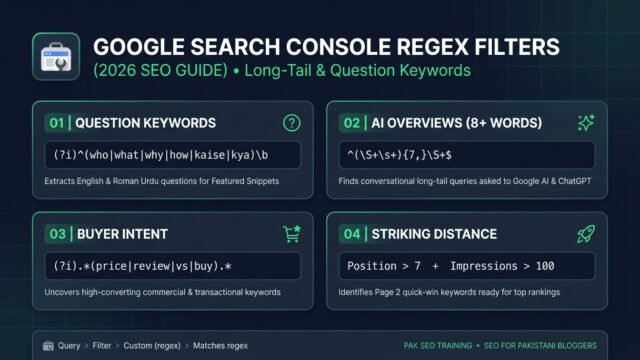
Google Search Console Regex Filters: Find Long-Tail Keywords (2026)
• Learn how to use Google Search Console regex filters to extract long-tail, question, and AI Overview keywords with copy-paste formulas and…