Quick Answer: You can use WhatsApp Status to grow your blog by sharing short tips from your articles with a clickable link, adding your blog name to every image, and posting consistently. WhatsApp Status does not directly improve Google rankings because its links are not crawled by search engines. However, it brings real visitors, builds brand searches and creates returning readers, which all support your blog’s growth over time.
Thank you for reading this post, don't forget to subscribe!Main Points
- WhatsApp Status links do not create backlinks or directly boost Google rankings.
- It is a free way to send real, engaged visitors to your new posts.
- Value-first statuses get more clicks than plain links.
- Putting your blog name on every image builds brand recognition and brand searches.
- A WhatsApp Channel reaches people beyond your contact list.
- UTM tags let you measure exactly how much traffic WhatsApp sends.
Why WhatsApp Status Is Worth a Blogger’s Time
Most bloggers spend hours writing a post and then wait for Google to notice it. For a new blog, that wait can take weeks or even months. During that time, the article gets almost no readers.
WhatsApp Status fills this gap. Your contacts already open WhatsApp many times a day, and statuses sit right at the top of the app. A single well-made status can send your first visitors to a post within minutes of publishing it. Those early visitors can leave comments, share the post, and come back later as regular readers.
It is important to be realistic. Search engines cannot see or follow links in a status, so it will not give you backlinks. Think of WhatsApp Status as a traffic and branding tool, not a ranking shortcut.
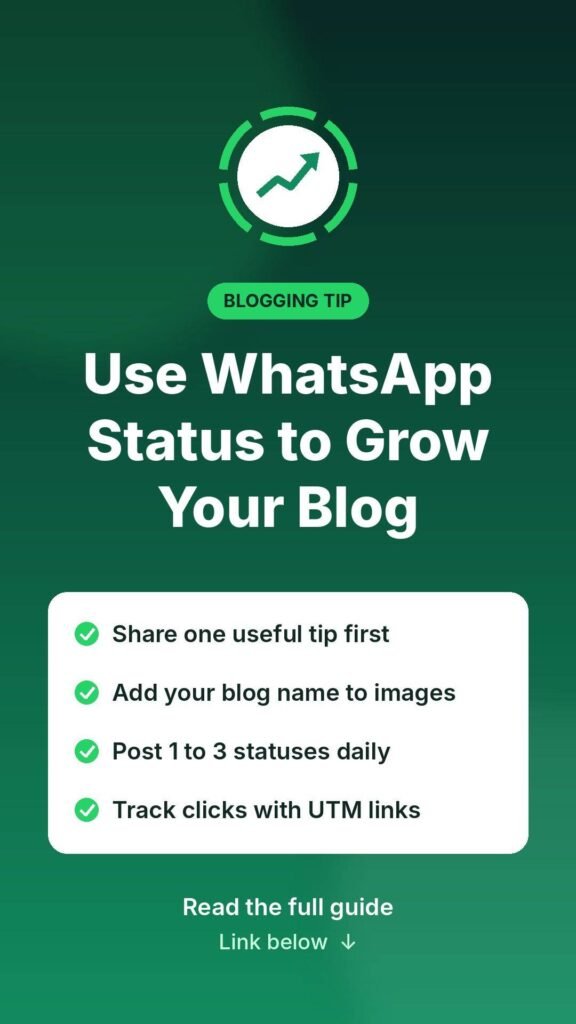
Step 1: Share Value First, Then the Link
A status that only says “New post, read here” with a link is easy to skip. People tap through statuses quickly, so you have about two seconds to catch their attention.
Instead, give one useful piece of your article right in the status. For example:
- A single tip written on a clean background image.
- A short “before and after” picture.
- A surprising fact or number from your research.
- A question your article answers, such as “Why does your phone battery drain overnight?”
Then add a short line like “Full guide at the link below” with your post URL. When readers get something useful first, they trust you enough to click.
Step 2: Put Your Blog Name on Every Image
Statuses disappear after 24 hours, but your brand name can stay in people’s minds. Add your blog name or domain in a small, clear corner of every image or video you post.
Over time, people start recognizing your blog. Some of them will type your blog name straight into Google. These branded searches show search engines that real people are looking for your site, which is a healthy signal for any growing blog.
Step 3: Post Consistently, Not Constantly
Posting ten links a day will push people to mute you. Posting once a month means nobody remembers you. A good balance for most bloggers is one to three statuses per day.
Try a simple weekly rhythm:
- New post days: Share a tip and a link from the fresh article.
- In-between days: Re-share older posts that are still useful.
- One day a week: Post something light, like a poll-style question or a behind-the-scenes photo of your work.
This keeps your statuses fresh and stops your audience from feeling spammed.
Step 4: Match Your Topics to Your Contacts
WhatsApp Status only reaches people who have saved your number. That makes it most powerful when your blog topics match the people in your contact list.
If your blog is about home tips, cooking, local services, education or technology for a local audience, your contacts are likely to be interested. If your blog targets readers in another country, WhatsApp Status may bring fewer useful visitors, and other platforms may serve you better.
Before posting, ask yourself one simple question: would most of my contacts find this helpful? If the answer is yes, share it.
Step 5: Grow Beyond Your Contacts With a WhatsApp Channel
Your status has a natural limit, because only saved contacts see it. A WhatsApp Channel removes that limit. Anyone with the link can follow your channel without exchanging phone numbers.
Use your channel to post every new article, and use your status to invite contacts to follow it. You can also add the channel link to your blog’s sidebar, footer or author box. This way, readers who find you on Google can follow you on WhatsApp and come back for every new post.
Step 6: Use Short Videos for Higher Attention
Video statuses often hold attention better than still images. You do not need professional editing. A short screen recording, a quick demonstration, or a few text slides with simple music can work well.
Keep videos under 30 seconds, show the main idea early, and end with your blog name and a reason to read the full article.
Step 7: Track Your WhatsApp Traffic
If you do not measure results, you will never know whether this effort is worth it. Add a UTM tag to the end of every link you share. For example:
https://yourblog.com/post-name/?utm_source=whatsapp&utm_medium=status
Inside Google Analytics, you will then see exactly how many visitors came from WhatsApp, which posts they read, and how long they stayed. Use this data to repeat the types of statuses that perform best.
Common Mistakes to Avoid
- Posting links with no context: People skip them without a reason to click.
- Using misleading hooks: Clickbait may get one click but loses trust fast.
- Ignoring mobile speed: Almost every WhatsApp visitor is on a phone, so your blog must load quickly on mobile.
- Expecting instant rankings: WhatsApp helps traffic and branding, while rankings still depend on quality content, indexing and backlinks.
- Forgetting replies: When someone replies to your status, answer them. These conversations often turn into loyal readers.
Does WhatsApp Status Help SEO?
Not directly. Google does not crawl WhatsApp statuses, so the links pass no ranking value. However, the side effects can support your SEO efforts. More visitors mean more chances for people to share your post, link to it from their own sites, or search for your blog by name. Combined with strong content and good technical SEO, these small wins add up.
Final Thoughts
WhatsApp Status is one of the easiest free tools a blogger can use. It will not replace search traffic, but it gives every new post an instant audience, keeps your blog name in front of people every day, and turns casual contacts into regular readers. Share value first, stay consistent, track your results, and let WhatsApp become a steady extra source of growth for your blog.