Ahrefs Webmaster Tools vs GSC + How to Ban Ahrefs (2026)
Short answer: Ahrefs Webmaster Tools (now called Ahrefs Free) is a free SEO tool for sites you own. It shows all known backlinks and keywords for your site, while Google Search Console shows only the top 1,000. If you want the opposite and are searching how to ban Ahrefs, add two lines to robots.txt: User-agent: AhrefsBot and Disallow: /. But read the “decide first” part below, because blocking the bot also hurts your own Ahrefs data.
This guide works like a fork in the road. Path A is for people who want to use Ahrefs Webmaster Tools next to Google Search Console. Path B is for people who want to limit or block the crawler. Most site owners should pick Path A. A few should pick Path B. You will know which one you are by the end.

Step 0: Decide First – Use It or Ban It?
Answer these three questions before you touch anything:
- Do you want free backlink and keyword data for your own site? Then use Ahrefs Webmaster Tools and keep AhrefsBot allowed.
- Is your server small and slowing down because of bot hits? Then do not ban yet. Slow the bot down with Crawl-Delay first.
- Do you run sites whose outgoing links you do not want competitors to see? Then learning how to ban Ahrefs on those sites makes sense.
Simple rule: you cannot fully enjoy one path while taking the other. Ahrefs builds its link and keyword data with AhrefsBot. If you block it on your site, the Site Explorer part of your free account gets weaker.
Path A: Using Ahrefs Webmaster Tools
What You Get for Free
According to Ahrefs’ official page, Ahrefs Webmaster Tools is now branded as “Ahrefs Free” and gives free access to tools for verified websites. The main ones are:
- Site Explorer: keywords you rank for, top pages, and who links to you.
- Site Audit: checks 170+ technical and on-page SEO issues, with advice on how to fix each one.
- Web Analytics: a light, cookie-free traffic tracker, including traffic from AI tools.
The free limits listed by Ahrefs: unlimited verified websites, 5,000 Site Audit crawl credits per project per month, 1,000 backlinks and keywords visible at once in Site Explorer, and up to 1 million Web Analytics events per project.
Ahrefs Webmaster Tools vs Google Search Console
Both are free. They are not rivals. They answer different questions. Google Search Console shows real Google clicks and impressions. Ahrefs Webmaster Tools shows estimated data plus a much bigger link and audit picture.
| Feature | Ahrefs Webmaster Tools | Google Search Console |
|---|---|---|
| Price | Free (verified sites only) | Free |
| Backlinks shown | All known links | Top 1,000 |
| Keywords shown | All known keywords (estimated) | Top 1,000 (real Google data) |
| SEO issues checked | 170+ issues | A handful of issues |
| Fix advice | Detailed | Limited |
| Link type (nofollow, UGC, sponsored) | Yes | No |
| Real clicks and impressions | No (estimates) | Yes |
| Index coverage and URL inspection | No | Yes |
| Competitor data | No (own sites only) | No |
Our verdict: keep Google Search Console for indexing and real click data. Add Ahrefs Webmaster Tools for backlinks, broken links and a deeper technical audit. If you already follow our free SEO audit template, AWT’s Site Audit fills most of that checklist for you.

How to Set It Up in 5 Minutes
- Create a free account on Ahrefs Webmaster Tools.
- Add your website as a new project.
- Verify ownership. The fastest way is to connect Google Search Console. You can also use a DNS record, an HTML file, or an HTML meta tag.
- Run your first Site Audit and sort issues by “Errors” first.
- Open Site Explorer, then the Backlinks report, and check new and lost links every week.
Privacy note: Ahrefs says anonymized data from the Search Console method may help improve its search volume and click models. If you do not want that, verify with DNS, HTML file or meta tag instead.
3 Quick Wins Inside the Free Account
- Fix broken internal links from the Site Audit “Links” report. This pairs well with our guide on fixing poor internal linking.
- Check which backlinks are dofollow. Many link sellers promise dofollow links. AWT shows the real link type, which helps when you judge profile backlinks or paid guest posts.
- Find pages ranking 4 to 15. Filter Organic Keywords by position. These pages are closest to page one and need the least work.
Path B: How to Ban Ahrefs (or Just Slow It Down)
AhrefsBot is the crawler that builds Ahrefs’ link index. It also powers Yep, Ahrefs’ own search engine. Its official user agent is Mozilla/5.0 (compatible; AhrefsBot/7.0; +http://ahrefs.com/robot/). Ahrefs says the bot obeys robots.txt and Crawl-Delay, and Cloudflare lists it as a verified “good” bot.
So how to ban Ahrefs depends on how hard you want to block it. Start soft and only go harder if needed.

Level 1: Slow It Down with Crawl-Delay
If the problem is server load, you probably want the bot quieter, not gone. Add this to robots.txt:
User-agent: AhrefsBot
Crawl-Delay: 10
The number is seconds between two requests. Ahrefs follows it strictly for HTML pages. It may not apply during JavaScript rendering, when several files can load at once.
Level 2: Block Only Some Folders
User-agent: AhrefsBot
Disallow: /private/
Disallow: /members/
Allow: /
Good for membership areas, staging folders or heavy search pages.
Level 3: Full Ban with robots.txt
This is the official way Ahrefs gives to stop AhrefsBot from visiting your site:
User-agent: AhrefsBot
Disallow: /
Want to block Ahrefs Site Audit too? It uses a separate token:
User-agent: AhrefsSiteAudit
Disallow: /
Note: changes are not instant. Ahrefs says the bot may need some time to pick up your new robots.txt, and it applies the change before its next scheduled crawl. If your robots.txt has errors, the bot ignores the rules and keeps crawling.
Level 4: Server-Level Block (.htaccess or Cloudflare)
robots.txt is a request, not a lock. Fake bots can use the name “AhrefsBot” and ignore it. To hard-block on an Apache server, add this to .htaccess:
RewriteEngine On
RewriteCond %{HTTP_USER_AGENT} AhrefsBot [NC]
RewriteRule .* - [F,L]
On Cloudflare, go to Security, then WAF, then Custom Rules. Create a rule where User Agent contains “AhrefsBot” and set the action to Block. Before blocking by IP, remember that real Ahrefs IPs always reverse-resolve to ahrefs.com or ahrefs.net, and Ahrefs publishes its IP ranges.
Which Ban Method Should You Pick?
| Method | Difficulty | Stops fake bots? | Best for |
|---|---|---|---|
| Crawl-Delay | Very easy | No | Slow shared hosting |
| robots.txt Disallow | Easy | No | Most sites |
| .htaccess rule | Medium | Partly | Apache/cPanel sites |
| Cloudflare WAF rule | Medium | Yes, with IP checks | Sites already on Cloudflare |
What Banning Ahrefs Does NOT Do
This is where many guides go wrong. Keep these facts in mind:
- It does not hide links pointing to you. Ahrefs finds your backlinks by crawling other websites. Blocking the bot on your site will not stop competitors from seeing them.
- It does hide your outgoing links. That is why private blog network (PBN) owners block AhrefsBot on the linking sites, not on the money site.
- It does not affect Google. Googlebot is a different user agent. Your Google rankings stay the same.
- It weakens your own free data. If you block AhrefsBot, Ahrefs Webmaster Tools cannot crawl your pages well, so internal link and page data in Site Explorer becomes stale.

The Smart Middle Path (Our Recommendation)
For most Pakistani bloggers, agencies and small business sites, the best setup is:
- Keep AhrefsBot allowed on your main site.
- Add
Crawl-Delay: 5or10only if your hosting is slow. - Use Ahrefs Webmaster Tools plus Google Search Console together.
- Block AhrefsBot only on private test sites or folders that should not be crawled.
If your site is not getting traffic at all, blocking bots will not fix it. Start with our checklist on what to do when your site is invisible on Google and AI.
FAQs
Is Ahrefs Webmaster Tools really free?
Yes. Ahrefs Webmaster Tools, now called Ahrefs Free, is free for websites you verify. You cannot check competitors’ sites with it. That needs a paid plan.
Can I use Ahrefs Webmaster Tools instead of Google Search Console?
No, use both. Search Console has real Google clicks, impressions and indexing reports. AWT adds full backlink data and a 170+ issue site audit.
How to ban Ahrefs without hurting Google rankings?
Target only the AhrefsBot user agent in robots.txt or your firewall. Googlebot is a separate bot, so your Google rankings are not affected.
How long does it take for AhrefsBot to stop after I block it?
It is not instant. Ahrefs says the bot picks up robots.txt changes before its next scheduled crawl. A server-level block in .htaccess or Cloudflare works right away.
Will blocking AhrefsBot hide my backlinks from competitors?
No. Your backlinks live on other people’s websites, and Ahrefs crawls those. Blocking only hides the links that go out from your own site.
Conclusion
Ahrefs Webmaster Tools is one of the best free SEO tools you can add next to Google Search Console. It shows all known backlinks and keywords and audits 170+ issues for your own site. Learning how to ban Ahrefs is still useful, but use it with care: slow the bot first, block only what you must, and remember that a full ban also weakens your own free Ahrefs data. Pick your path, set it up today, and check your reports once a week.

Muhammad Amjad Butt
SEO Trainer, CEO & Founder of PB Outreach
Muhammad Amjad Butt is an SEO specialist from Faisalabad, Pakistan, practicing SEO since 2006. He is the CEO and founder of PB Outreach and the trainer behind Pak SEO Training. He has trained 500+ students and completed 1,000+ guest posting projects for clients.
📚 Related Posts

Semrush Organic Rankings 2.0 Review: 4 Bugs & Why It Shows 0 Traffic (2026)
Honest Semrush Organic Rankings 2.0 review (2026). Learn how AI-Influenced Traffic, Mentions, and Citations work—plus 4 common bugs causing 0 traffic errors…

How Link Building Agencies Work in 2026 (With Real Agency Case Study)
Discover how link building agencies work behind the scenes—from outreach and publisher networks to pricing. Includes a real case study on Interamplify…
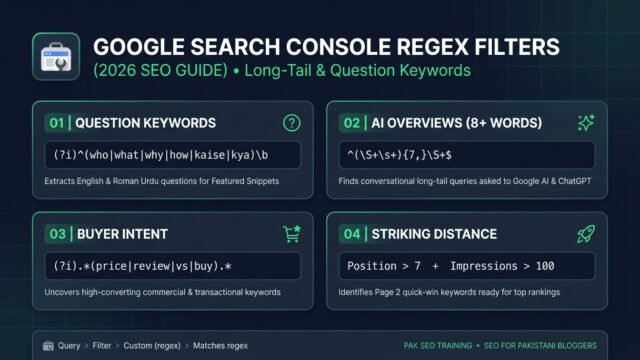
Google Search Console Regex Filters: Find Long-Tail Keywords (2026)
• Learn how to use Google Search Console regex filters to extract long-tail, question, and AI Overview keywords with copy-paste formulas and…